X
wikiHow is a “wiki,” similar to Wikipedia, which means that many of our articles are co-written by multiple authors. To create this article, volunteer authors worked to edit and improve it over time.
This article has been viewed 1,652 times.
Learn more...
Changing StreetPass or SpotPass settings on Tomodachi Life enables you to get special items from the Import Wear shop. These settings are easy to change and can be changed back at any point. Read on to find out how.
Steps
-
1
-
2
-
3
-
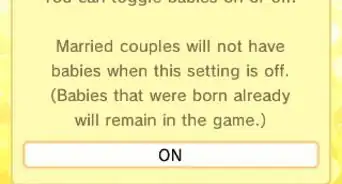
4Select where it says "ON" or "OFF" on either of the options to change it. By turning the settings on, you are enabling your game to get special clothes and headgear from the Import Wear shop, and enabling your device to get notifications for the game when this happens. Either select ON or OFF for each.
- StreetPass is when you pass by another device on the street with Tomodachi Life. You may send explorers between your islands, and you will also send off your island's special item. You wil get a green light if you have a StreetPass hit.
- SpotPass is through connecting to the Internet. This enables you to get special items through Internet connection. This is represented by a blue light.
-
5


Community Q&A
-
QuestionDoes StreetPass cost money?
 RubyTop AnswererNo. StreetPass is a free built-in feature of your Nintendo 3DS or 2DS. You can turn it off and on on your device.