X
wikiHow is a “wiki,” similar to Wikipedia, which means that many of our articles are co-written by multiple authors. To create this article, volunteer authors worked to edit and improve it over time.
This article has been viewed 2,952 times.
Learn more...
There are many reasons for changing baby settings on Tomodachi Life. Maybe you have reached the maximum number of Miis on Tomodachi Life. It might also be the case that you're sick of caring for the virtual babies. Or perhaps you enjoy your Miis having babies and would like to turn settings on. Whatever your reason for changing baby settings, this wikiHow has you covered.
Steps
-
1
-
2
-
3
-
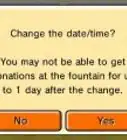
4Select the box at the bottom of the screen which will either say "ON" or "OFF". You will be asked if you want to allow babies. You can either choose YES or NO. Press the orange button with an arrow on it to go back.
- Keep in mind that turning baby settings off will not delete any babies currently born in the game.






















































Medical Disclaimer
The content of this article is not intended to be a substitute for professional medical advice, examination, diagnosis, or treatment. You should always contact your doctor or other qualified healthcare professional before starting, changing, or stopping any kind of health treatment.
Read More...