This article was written by Jack Lloyd. Jack Lloyd is a Technology Writer and Editor for wikiHow. He has over two years of experience writing and editing technology-related articles. He is technology enthusiast and an English teacher.
This article has been viewed 118,238 times.
If you're getting tons of notifications from a page, you probably want to prevent them from commenting on your posts, messaging you, or posting on your wall. Blocking a page will prevent it from being able to tag, reply to your comments, or message you, but you will be unable to interact with them as well. This wikiHow teaches you how to block a page on Facebook using a desktop web browser. You'll need to use a desktop web browser because this feature is no longer available on the mobile app or through a mobile browser.
Steps
-
1Open Facebook. Go to https://www.facebook.com/ in your preferred browser. This will open your News Feed if you're already logged into Facebook.
- If you aren't already logged into Facebook, enter your email address (or phone number) and password in the upper-right side of the page before continuing.
- Many mobile web browsers direct you to a mobile version of Facebook, so you can't do this on a phone's web browser.
-
2Go to the page you want to block. Type the page's name into the search bar at the top of the screen, click it in the drop-down box, and then click the page you want to block.
- Alternatively, locate and click the page's name in your News Feed.
-
3Click ⋯. The three-dot menu icon is directly below the page's cover photo near the top of the page. Doing so prompts a drop-down menu.
-
4Click Block Page. This option is at the bottom of the drop-down menu.
-
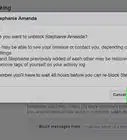
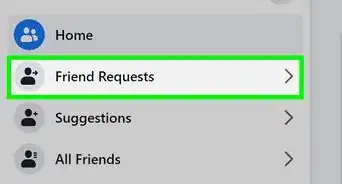
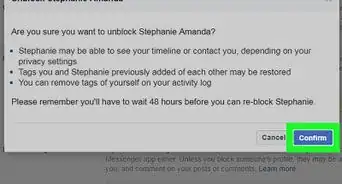
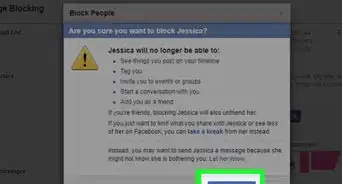
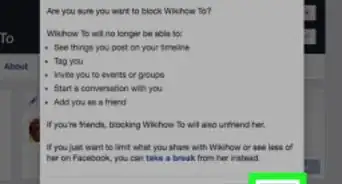
5Click Confirm when prompted. Doing so will block the page, preventing you from interacting with the page and vice versa.
- To unblock a page, go to ▼ > Settings & Privacy > Settings > Blocking > Unblock.[1]
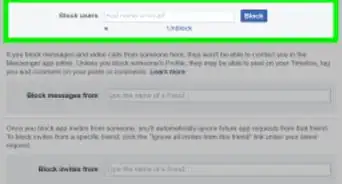
- You can also use the "Manage Blocking" page to add pages to block them. To do this, scroll down to the "Block Pages" header and search for the page you want to block using the search bar.


Community Q&A
-
QuestionWhen I try to block a page on Facebook, the block icon just spins. Why isn't it working?
 Community AnswerThis sounds like an issue with your internet connection. Try refreshing the page or doing this on another device.
 -
QuestionIf I block a business page on Facebook, will they find out?
 Community AnswerNo, they will not. Facebook pages do not have a list of who has blocked them.
Warnings
- Be sure not to report a page when you're just trying to block it.Thanks!

References
About This Article
1. Open Facebook.
2. Go to the page you want to block.
3. Click the three-dot menu icon.
4. Click Block Page.
5. Click Confirm when prompted.