X
wikiHow is a “wiki,” similar to Wikipedia, which means that many of our articles are co-written by multiple authors. To create this article, 16 people, some anonymous, worked to edit and improve it over time.
This article has been viewed 324,458 times.
Learn more...
Need to block a chatty friend on Facebook? You can block a user completely, making it impossible for them to contact you. If a complete block is a little too much, you can turn chat off for specific users, making it appear that you are offline to them.
Steps
Method 1
Method 1 of 2:Blocking a User
Method 1
-
1Click the Facebook Menu button (▾). This is located in the right side of the toolbar at the top of the page.
-
2Select "Settings" from the menu.Advertisement
-
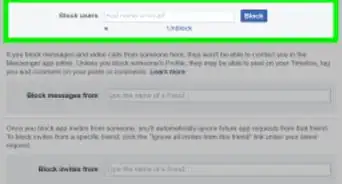
3Click the "Blocking" option in the menu on the left of the Settings page.
-
4Enter a user you want to block into the "Block users" field.
-
5Click the "Block" button in the search results for the user you are blocking.
-
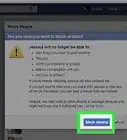
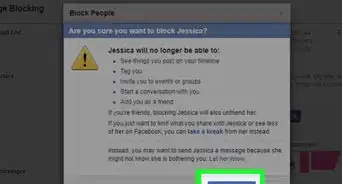
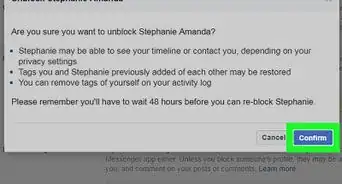
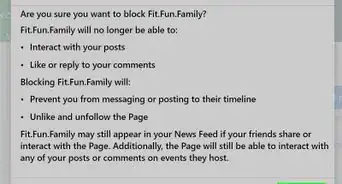
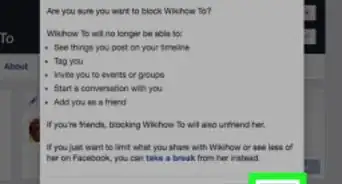
6Confirm that you want to block the user.
- This will unfriend you as well as block them from messaging you.
- The user will no longer be able to see any content on your timeline.
Advertisement


Method 2
Method 2 of 2:Turning Off Chat for a User
Method 2
-
1Click the Settings button at the bottom of the Facebook chat list. It looks like a gear.
-
2Select "Advanced Settings" from the menu.
-
3Enter the name of the person you want to disable chat for. You can select from a list of possible matches before you finish typing.
-
4Click "Save". This will not block person, but all future chat messages will be forwarded straight to your inbox.Advertisement


Community Q&A
-
QuestionHow can you appear to be off-line on Facebook?
 Community AnswerJust turn off the chat by pressing the little gear icon on the bottom right part of the screen.
 -
QuestionHow can I reverse a blocked chat?Community AnswerAsk that friend if they could invite you or add you to the chat, or to make a new chat.
-
QuestionIf I am blocked by someone on Facebook, can I still send them messages?
 Community AnswerNo, you cannot send someone messages if they have blocked you.
 -
QuestionHow do I know if I have been blocked from chat?Community AnswerThe call and chat symbol cannot be seen on chat box.

About This Article
Advertisement