X
This article was written by Jack Lloyd. Jack Lloyd is a Technology Writer and Editor for wikiHow. He has over two years of experience writing and editing technology-related articles. He is technology enthusiast and an English teacher.
wikiHow marks an article as reader-approved once it receives enough positive feedback. In this case, 96% of readers who voted found the article helpful, earning it our reader-approved status.
This article has been viewed 1,086,724 times.
This wikiHow teaches you how to remove a Facebook user from your "Blocked" list on both mobile and computer platforms.
Steps
Method 1
Method 1 of 2:On iPhone and Android
Method 1
-
1Open Facebook. It's a dark-blue app with a white "f" on it. Doing so will open your News Feed if you're logged into Facebook.
- If you aren't logged in, first enter your email address (or phone number) and password.
-
2Tap ☰. It's either in the bottom-right corner of the screen (iPhone) or in the top-right corner of the screen (Android).
-
3Scroll down and tap Settings. You'll find this option toward the bottom of the menu.
- Skip this step for Android.
-
4Tap Account Settings. It's either at the top of a pop-up menu (iPhone) or toward the bottom of the ☰ menu (Android).
-
5Tap Blocking. This option is near the bottom of the screen and has a red caution circle next to it.
-
6Tap Unblock to the right of a user's name. On this page, you'll see a list of people who you've blocked in the past; you can choose to unblock any of them.
-
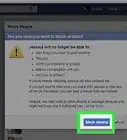
7Tap Unblock when prompted. It's a blue button on the left side of the page. Doing so will unblock your selected user.
- If you want to re-block the user, you'll have to wait for 48 hours before you can block them again.


Method 2
Method 2 of 2:On Windows and Mac
Method 2
-
1Go to Facebook's website. It's at https://www.facebook.com/. If you're already logged into Facebook, doing so will open your News Feed.
- If you aren't logged into Facebook, you'll first enter your email address (or phone number) and password in the upper-right side of the page.
-
2Click ▼. It's in the top-right side of the Facebook window.
-
3Click Settings. This option is near the bottom of the drop-down menu.
-
4Click Blocking. It's a tab on the left side of the page.
-
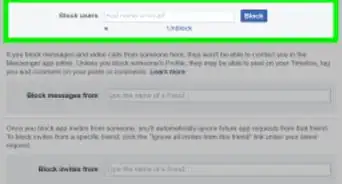
5Click Unblock to the right of someone's name. You'll see the name of each person you've blocked in the "Block users" section of this page.
-
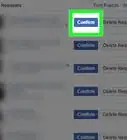
6Click Confirm when prompted. Doing so will unblock your selected user.
- If you want to re-block the user, you'll have to wait for 48 hours before you can block them again.


Community Q&A
-
QuestionHow do I unblock friends on Facebook via phone?
 Community AnswerGo to setting and select blocked and whoever you want to unblock. There will be a tab that says unblock, select that and you can send them a friend request.
 -
QuestionHow do I unblock someone on Facebook?
 Community AnswerGo to your Facebook settings and click on the Blocking button. Scroll through the list of blocked users until you find your friend's name. Press the Unblock button. You will then have to send them a friend request if you want them back on your friend's list because once you block someone, that also takes them off of your friend's list.
 -
QuestionHow can I see someone on Facebook who has blocked me?Community AnswerIf the person's profile is public, you can view it by logging out of Facebook and searching for his or her name.
-
QuestionHow do I find the security button on my Facebook page?Community AnswerClick on the drop down arrow at the top right of the home page, and select 'Settings.' Then from the list on the left, click on 'Blocking,' and in the 'Blocked users' section you can click on an unblock button next to their name.
-
QuestionI unblocked someone, but it won't put them back on my friends list. How can I fix this?Community AnswerYou need to send them a friend request again. If they accept your request, you will become friends and then they will appear on your friends list.
-
QuestionWill Facebook notify someone that I unblocked them?
 Corey SmithCommunity AnswerNo, they will not receive a notification. They will eventually find out that you unblocked them.
 -
QuestionHow long does it take to get unblocked friends back on my friend list?
 Community AnswerAs long as it takes for you to send them a friend request and for them to accept it. Blocking someone automatically removes them from your friend list.
 -
QuestionHow do I send a new friend request to someone I blocked?Community AnswerSend it the same way you would to someone who isn't blocked. If you unblock a user, you can send friend requests and follow.
Warnings
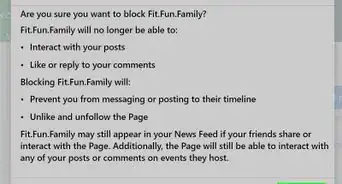
- Keep in mind that once you take someone off your block list, you will have to wait 48 hours before you can add them back to the block list.Thanks!
About This Article
Article SummaryX
1. Open Facebook.
2. Tap the menu.
3. Tap Settings.
4. Tap Account Settings.
5. Tap Blocking.
6. Tap Unblock.
Did this summary help you?