X
This article was written by Travis Boylls. Travis Boylls is a Technology Writer and Editor for wikiHow. Travis has experience writing technology-related articles, providing software customer service, and in graphic design. He specializes in Windows, macOS, Android, iOS, and Linux platforms. He studied graphic design at Pikes Peak Community College.
This article has been viewed 3,801 times.
This wikiHow teaches you how to block a contact on Viber app for Android phones. Although all of your phone contacts are listed in the Viber app, you can only block contacts that are also Viber members.
Steps
-
1Open Viber. It's the icon with the purple speech bubble and a phone in the middle.
-
2Tap the Contacts tab. It's at the top.Advertisement
-
3Tap the Viber contact you want to block. Scroll through your contacts and find the Viber member you want to block.
- You can only block contacts that also use Viber. These contacts will have a purple Viber icon next to their name.
-
4Tap ⋮. It's the icon with the three vertical dots in the upper right corner. This will open a drop-down menu.
-
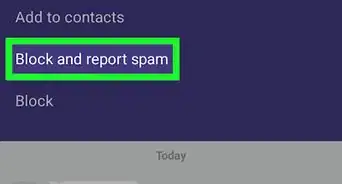
5Tap Block. It's the last option on the menu. The contact is now blocked.Advertisement



About This Article

Travis Boylls
Tech Specialist
This article was written by Travis Boylls. Travis Boylls is a Technology Writer and Editor for wikiHow. Travis has experience writing technology-related articles, providing software customer service, and in graphic design. He specializes in Windows, macOS, Android, iOS, and Linux platforms. He studied graphic design at Pikes Peak Community College. This article has been viewed 3,801 times.
How helpful is this?
Co-authors: 4
Updated: May 25, 2021
Views: 3,801
Categories: Viber for Android
Article SummaryX
1. Open Viber.
2. Tap the Contacts tab.
3. Tap the contact.
4. Tap ⋮
5. Tap Block.
Did this summary help you?
Advertisement