This article was co-authored by Luigi Oppido and by wikiHow staff writer, Hannah Madden. Luigi Oppido is the Owner and Operator of Pleasure Point Computers in Santa Cruz, California. Luigi has over 25 years of experience in general computer repair, data recovery, virus removal, and upgrades. He is also the host of the Computer Man Show! broadcasted on KSQD covering central California for over two years.
If your WiFi connection is patchy and keeps disconnecting from your computer, it can be a real pain to access the internet. There are a lot of reasons why your WiFi might disconnect randomly, and it could be an issue with your computer, your router, or both. In this article, we’ll walk you through some common reasons why your WiFi connection might be spotty and what you can do to fix them.
Steps
Method 1
Method 1 of 11:There are objects between your computer and the router.
-
1It might be as simple as something blocking your connection. If your computer is far away from your router, physical objects might be disrupting the wireless connection. Try moving closer to your router or shifting large things out of the way to see if that fixes your WiFi troubles.[1]
- Baby monitors, walkie-talkies, and radios tend to disrupt wireless connections. Try moving objects like these to another room to see if it strengthens your WiFi.[2]
Advertisement

Method 2
Method 2 of 11:Your cables are loose or disconnected.
-
1Double check that all the connecting cables are plugged in and working. The Ethernet cable is the one that connects the modem and the router, so it could be causing your disconnection issues. Try carefully unplugging the Ethernet cable, then plugging it back in to see if that solves your problem.[3]
- If your Ethernet cable is damaged, that could also be the issue. Head to a tech supply store to buy a new cable and install it.

Method 3
Method 3 of 11:You need to reset your modem and router.
-
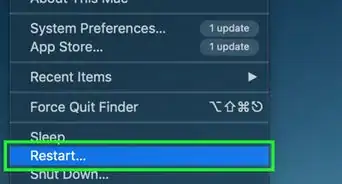
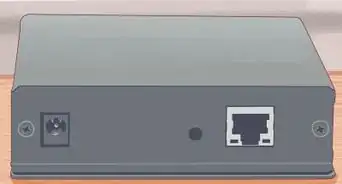
1Sometimes, a simple on and off will reestablish your WiFi connection.[4] If you can’t figure out what’s going on with your WiFi, try carefully unplugging both your modem and your router, then plug them back in. It might take up to 5 minutes for your devices to reestablish a connection, so just hold tight![5]
- This is a good time to double check that your Ethernet cable is connected and secure.
Advertisement

Method 4
Method 4 of 11:Your computer software is not up to date.
-
1A pending software update could be disrupting your WiFi connection. Head into your settings and type “software” into the search bar, then check to see if you have any updates available.[6] If you do, try installing them and then restarting your computer. If that was the issue, your WiFi should stop randomly disconnecting once the updates are installed.[7]
- Almost any software update could be disrupting the WiFi connection on your computer, no matter what it is.[8]

Method 5
Method 5 of 11:An antivirus is conflicting with the WiFi software.
-
1Some antivirus software will make your WiFi disconnect randomly. If you have an antivirus installed on your computer, try uninstalling it briefly to see if that strengthens your connection. If that was the problem, you may need to try a different antivirus program.[9]
- Make sure your antivirus program is up to date, too. Outdated software could be causing your WiFi to disconnect.[10]
Advertisement

Method 6
Method 6 of 11:Your power management settings are turning off the WiFi.
-
1In Windows, this feature reduces power consumption during low battery. However, some power management tools will disable the wireless adapter and cause your computer to disconnect from the WiFi. To check, head to Start > Device Manager > Network Adapters. Double click your WiFi’s name, then select the Power Management tab and uncheck the box that says “Allow the computer to turn off this device to save power.”[11]
- If this box was already unchecked, it means that the power management settings weren’t the problem.

Method 7
Method 7 of 11:The WiFi-Sense setting is causing a disruption.
-
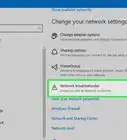
1In Windows 10, this feature can cause some issues. The WiFi-Sense tool constantly scans for new WiFi networks, which can cause your computer to randomly drop the one you’re already connected to. To turn this off, click Start, then head to your Settings. Select Network and Internet, then click Wi-Fi on the left. Click on Manage Wi-Fi Settings, then disable both “Connect to suggested open hotspots” and “Connect to networks shared by my friends.”[12]Advertisement

Method 8
Method 8 of 11:Your WiFi driver is not up to date.
-
1Drivers tell the computer how to interact with the software. If the WiFi driver isn’t up to date, your computer won’t know how to interact with the wireless connection. To update your driver, head to Device Manager and then open up the Network Adapter section. Right click on the WiFi Adapter, then select “Update Driver Software.”[13]
- You may need to restart your computer after installing this update.

Method 9
Method 9 of 11:You need to use a static IP address.
-
1Some computers don’t like interacting with multiple IP addresses.[14] By default, your router will assign your device a new IP address every time it interacts with it. To create a static one, log into your router on your computer and tell it to give you the same IP address every time. Every router is different, so you need to consult your user manual to find out how to access your specific device.[15]
- You can assign an IP address to your device for your router to use. Most routers will give you the first 3 digits, but the rest are up to you.
Advertisement

Method 10
Method 10 of 11:Your router needs servicing.
-
1Check out your router to see if any lights are not green. If there is a red or a flashing light, it could mean that your router is having issues.[16] Check your user manual to see what each specific light means, and call your service provider to come and take a look at it if you need to.[17]
- If your router is the issue, the WiFi will probably randomly disconnect from all your devices, not just your computer.

Method 11
Method 11 of 11:You have a service outage.
-
1If nothing else works, it could be a problem with your provider. Check which internet provider you have, then give them a call and ask if there’s an outage in your area. If there is, you may just have to wait until they fix the outage before your connection is strong again.[18]
- Network service changes can also be a problem. You can ask your provider if they’ve made any changes recently and how that might have affected your WiFi.
Advertisement

Community Q&A
-
QuestionWhy does my WiFi adapter keep losing connection?
 Luigi OppidoLuigi Oppido is the Owner and Operator of Pleasure Point Computers in Santa Cruz, California. Luigi has over 25 years of experience in general computer repair, data recovery, virus removal, and upgrades. He is also the host of the Computer Man Show! broadcasted on KSQD covering central California for over two years.
Computer & Tech SpecialistThere could be some software running in the background. Also, sometimes malware can interfere with your connection, blocking and stopping it. -
QuestionWhy does my WiFi router keep disconnecting?Luigi OppidoLuigi Oppido is the Owner and Operator of Pleasure Point Computers in Santa Cruz, California. Luigi has over 25 years of experience in general computer repair, data recovery, virus removal, and upgrades. He is also the host of the Computer Man Show! broadcasted on KSQD covering central California for over two years.
Computer & Tech SpecialistYour router could be in the middle of a firmware update when something happened and stopped it. This is rather common, since routers usually run 24/7. Try unplugging it for 30 seconds. After you plug it back in, let it boot up for about five minutes -
QuestionHow long do routers last?Luigi OppidoLuigi Oppido is the Owner and Operator of Pleasure Point Computers in Santa Cruz, California. Luigi has over 25 years of experience in general computer repair, data recovery, virus removal, and upgrades. He is also the host of the Computer Man Show! broadcasted on KSQD covering central California for over two years.
Computer & Tech SpecialistIf your router is over three years old and is giving you trouble from time to time, it might be time to get another one. -
QuestionCan VPN cause WiFi to disconnect?Luigi OppidoLuigi Oppido is the Owner and Operator of Pleasure Point Computers in Santa Cruz, California. Luigi has over 25 years of experience in general computer repair, data recovery, virus removal, and upgrades. He is also the host of the Computer Man Show! broadcasted on KSQD covering central California for over two years.
Computer & Tech SpecialistIt can happen, especially if you install a VPN without properly setting it up, since the VPN will take over the control of your wireless connection.





References
- ↑ https://helpdeskgeek.com/help-desk/wifi-keeps-disconnecting-how-to-fix-it/
- ↑ Luigi Oppido. Computer & Tech Specialist. Expert Interview. 30 September 2021.
- ↑ https://support.apple.com/en-us/HT202222
- ↑ Luigi Oppido. Computer & Tech Specialist. Expert Interview. 30 September 2021.
- ↑ https://support.google.com/googlenest/answer/6250834?hl=en#zippy=%2Cstep-restart-your-modem-router-and-points
- ↑ Luigi Oppido. Computer & Tech Specialist. Expert Interview. 30 September 2021.
- ↑ https://support.apple.com/en-us/HT202222
- ↑ Luigi Oppido. Computer & Tech Specialist. Expert Interview. 30 September 2021.
- ↑ Luigi Oppido. Computer & Tech Specialist. Expert Interview. 30 September 2021.
- ↑ https://helpdeskgeek.com/help-desk/wifi-keeps-disconnecting-how-to-fix-it/
- ↑ https://helpdeskgeek.com/help-desk/wifi-keeps-disconnecting-how-to-fix-it/
- ↑ https://www.techadvisor.com/how-to/windows/how-fix-wi-fi-disconnecting-3680378/
- ↑ https://www.techadvisor.com/how-to/windows/how-fix-wi-fi-disconnecting-3680378/
- ↑ Luigi Oppido. Computer & Tech Specialist. Expert Interview. 30 September 2021.
- ↑ https://www.techadvisor.com/how-to/windows/how-fix-wi-fi-disconnecting-3680378/
- ↑ Luigi Oppido. Computer & Tech Specialist. Expert Interview. 30 September 2021.
- ↑ https://helpdeskgeek.com/help-desk/wifi-keeps-disconnecting-how-to-fix-it/
- ↑ https://support.google.com/googlenest/answer/6250834?hl=en#zippy=%2Cstep-restart-your-modem-router-and-points%2Cstep-call-your-internet-service-provider
- ↑ https://www.techadvisor.com/how-to/windows/how-fix-wi-fi-disconnecting-3680378/
About This Article