This article was co-authored by wikiHow staff writer, Madeleine Criglow. Madeleine Criglow is a wikiHow Staff writer based in the Pacific Northwest. She has over six years of experience working in copywriting, editing, and journalism. In addition to her work for wikiHow, she writes a monthly film column for Tigard Life and Tualatin Life newspaper. Madeleine graduated from the University of Puget Sound with a BA in English with an emphasis in Creative Writing.
There are 8 references cited in this article, which can be found at the bottom of the page.
This article has been viewed 1,439 times.
Learn more...
The number of words you're able to type per minute, AKA your WPM, can make a huge difference in your efficiency at work or school. If you're looking to improve your typing skills or speed, you're probably wondering what is considered fast so you can know what to strive for. Luckily, this article is here to help with answers to that question and more.
Steps
Question 1
Question 1 of 8:What is considered a fast WPM?
-
160-80 WPM is a fast WPM. Experts in the tech field say that this rate is what you need to be able to match the speed of your thoughts. In order to achieve a quick typing speed like this, you'll need to improve your technique, meaning your posture and hand placement as you type.[1]Advertisement

Question 2
Question 2 of 8:What is the average WPM?
-
1The average typing speed is 30-40 WPM. Most employers will be perfectly happy with this speed. As voice dictation becomes more popular in the workforce, typing may not be considered as important of a skill. Still, some roles that require more typing, like receptionists and office workers, may benefit from quickening their pace to be higher than the average.[2]

Question 3
Question 3 of 8:How do I determine my WPM?
-
1Take a free online test. These tests calculate your WPM by dividing the words you type by the amount of time it takes you to type them. For the purpose of this calculation, a "word" counts as 5 keystrokes, including letters, numbers, punctuation marks, and spaces.[3] The test measure how many words you can type in 1 to 5 minute periods.[4]
- Take these tests multiple times as you work on your speed to see how you improve your WPM over time.
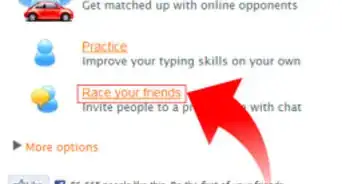
- Free web apps that offer these tests include Ratatype, The Typing Cat, and Typing.com.
- You can also type on a word count site to get an idea of your speed.[5]
Advertisement


Question 4
Question 4 of 8:How can I get a faster WPM?
-
1Achieving a faster WPM requires time and practice. To improve, you'll need to work on both your speed and your accuracy.[6] To improve both, try studying and memorizing the layout of your computer keyboard (most use the QWERTY layout).[7] You might also try practicing dictation to type faster. To do this, follow along with an audiobook or a TV show and type everything you hear. Even if you're already a fast typer, these practices can help you improve both your accuracy and your speed.
- Experts agree that it's best to work on your accuracy first, as you'll develop a faster speed as you get more comfortable using the keyboard.
- Though many jobs don't necessarily require a certain WPM, improving your typing speed can help you get your work done more efficiently. You can also boast about having a stellar WPM if you get super fast!

Question 5
Question 5 of 8:What software can help me improve my WPM?
-
1Check out free web apps for typing lessons, exercises, and more. These offer tests and games so that you can improve your speed and accuracy in addition to tracking your progress over time. You can also download apps on your phone so that you can practice your typing skills when you're out and about. Free typing software options currently include Ratatype, The Typing Cat, Typing.com, and TypingClub.[8] [9]
- These web apps offer their services for free, but you can also sign up for a paid subscription if you don't want to deal with ads or would like more practice options.
- Speed Typing Online is another free program you can try.[10]
Advertisement

Question 6
Question 6 of 8:How can I improve my posture and hand placement to type faster?
-
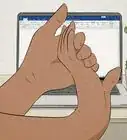
1Keep your back in line with the back of your chair. Relax your shoulders with your elbows bent as you type, and rest both feet firmly on the ground. Maintaining this posture as you type helps you quicken your pace and limit typos and mistakes. It also puts less stress on your wrists while you type.[11]
- Ergonomics are very important when it comes to typing.[12]
-
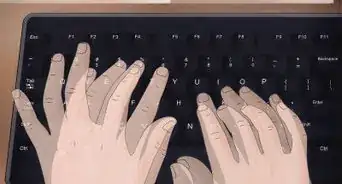
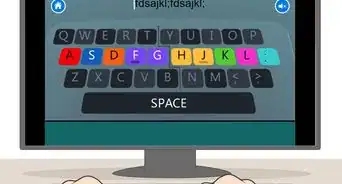
2Place your right index finger on the J key and your left index finger on the F key. This makes it so your fingers rest on the keyboard's middle row, also known as the home row. As you type each letter, use whatever finger is nearest to the letter from the home row to type. To make things easier, use your thumbs to hit the space bar and your pinkies to hit the shift key.[13]
-
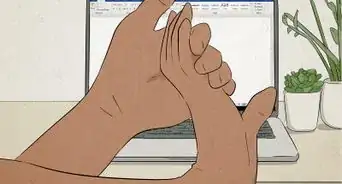
3Keep your wrists straight and avoid resting them on your keyboard. This may be surprising, but resting your wrists on your keyboard can cut off the blood circulation in your wrists and put pressure on your tendons. This tires out your wrists over time and makes you type less efficiently. To improve your speed and keep your wrists comfortable, hold your wrists straight over the keyboard.[14]
- If you need to use a wrist pad, try pushing it straight against your keyboard and resting your palms on it instead of your wrists.
- Think about investing in an ergonomic keyboard and one of those roller mice.[15]
Advertisement


Question 7
Question 7 of 8:What types of keyboards help you improve your WPM?
-
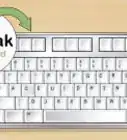
1Alternative keyboard formats like Dvorak and Colemak may help you. The Dvorak keyboard places the least common letters on the bottom row of the keyboard. This allows quick access to more common letters at the top and the home row. The Colemak keyboard places the most commonly used letters on the home row, which boosts the number of words you can type using just the home row. The quick access to common letters on both keyboards may help you increase your WPM.[16]
Question 8
Question 8 of 8:How can I learn to type without looking?
-
1Use helpful tools and exercises to build up your muscle memory. Practice by creating a new document and typing any word you can think of without looking down at the keys. At first, focus more on your accuracy (AKA keeping typos and grammatical errors to a minimum) than speed. As you get more comfortable, your speed will improve as well.[17]
- If you're really set on improving your muscle memory, buy a keyboard cover or a blank keyboard to prevent you from seeing the keys.
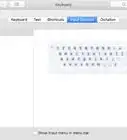
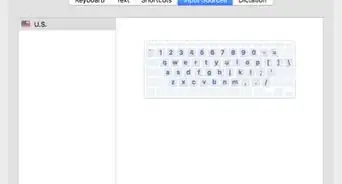
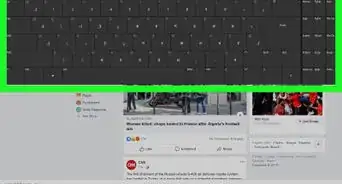
- You can also use an onscreen keyboard to avoid looking down at the keyboard on your device. To activate this, visit your computer's search bar and enter "keyboard" to find your preferences.
Advertisement



-Step-12.webp)
References
- ↑ https://www.bbc.com/worklife/article/20180423-one-skill-to-make-you-type-a-lot-faster
- ↑ https://www.bbc.com/worklife/article/20180423-one-skill-to-make-you-type-a-lot-faster
- ↑ https://typingcom.helpscoutdocs.com/article/205-how-wpm-words-per-minute-and-accuracy-are-calculated-teacher-student
- ↑ https://www.popsci.com/free-web-apps-speed-typing/
- ↑ Luigi Oppido. Computer & Tech Specialist. Expert Interview. 31 July 2019.
- ↑ https://www.businessinsider.com/how-to-type-faster-more-accurately
- ↑ https://www.techopedia.com/definition/9747/touch-typing
- ↑ https://www.popsci.com/free-web-apps-speed-typing/
- ↑ Luigi Oppido. Computer & Tech Specialist. Expert Interview. 31 July 2019.
- ↑ Luigi Oppido. Computer & Tech Specialist. Expert Interview. 31 July 2019.
- ↑ https://www.businessinsider.com/how-to-type-faster-more-accurately
- ↑ Luigi Oppido. Computer & Tech Specialist. Expert Interview. 31 July 2019.
- ↑ https://www.businessinsider.com/how-to-type-faster-more-accurately
- ↑ https://ergonomictrends.com/proper-ergonomic-typing-posture-at-computer/
- ↑ Luigi Oppido. Computer & Tech Specialist. Expert Interview. 31 July 2019.
- ↑ https://www.bbc.com/worklife/article/20180521-why-we-cant-give-up-this-odd-way-of-typing
- ↑ https://www.businessinsider.com/how-to-type-faster-more-accurately
About This Article