This article was written by Travis Boylls. Travis Boylls is a Technology Writer and Editor for wikiHow. Travis has experience writing technology-related articles, providing software customer service, and in graphic design. He specializes in Windows, macOS, Android, iOS, and Linux platforms. He studied graphic design at Pikes Peak Community College.
The wikiHow Tech Team also followed the article's instructions and verified that they work.
This article has been viewed 2,924 times.
This wikiHow teaches you how to watch Amazon Prime videos on Android using the Amazon Prime video app. Watching Amazon Prime videos requires an Amazon Prime account which is is a paid subscription service.
Steps
-
1
-
2Type Amazon Prime Video into the search bar. Tap the search bar at the top and type "Amazon Prime Video". As you type, you will see a list matching apps.Advertisement
-
3Tap Amazon Prime Video in the search results. It will be the first result at the top if you typed it out correctly.
-
4Tap Install. It's the green button on the left under the app's title. This installs the Amazon Prime App on your phone.
- Allow a few moments for the app to install.
-
5Tap Open. Once it's finished installing, you can tap Open to launch the app.
-
6Tap Get Started. It's the green button at the bottom of the screen.
- If you are already signed in to other Amazon apps on your phone, such as Amazon Shopping or Audible, this button will say Continue and you will be automatically signed in to the Amazon Prime Video app.
-
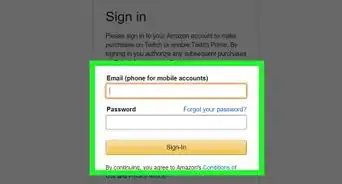
7Sign in to your Amazon Prime account. Enter the email address (or phone number) and password associated with your Amazon Prime account, then press Sign in.
- If you don't have an Amazon Prime membership, you can press Create a new Amazon account to create one.
-
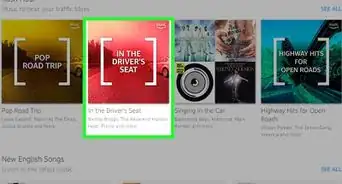
8Tap a video or series. Scroll down to browse the different video sections or tap a section at the top, such as "Originals" and "TV", to find a video you want to watch.
-
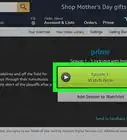
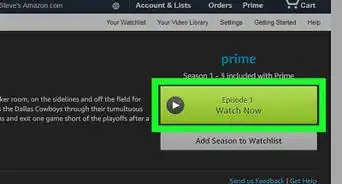
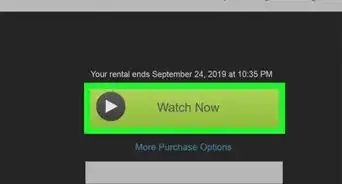
9Tap ▶ Watch Now. It's the green button at the top of the page under the video's title and ratings. This starts the playing the Amazon Prime video.Advertisement



About This Article

1. Open the Google Play Store app.
2. Search for Amazon Prime Video and select it.
3. Tap Install and Open.
4. Tap Get Started.
5. Sign in with your Amazon Prime account.
6. Tap a video or series.
7. Tap Watch Now.