X
wikiHow is a “wiki,” similar to Wikipedia, which means that many of our articles are co-written by multiple authors. To create this article, 41 people, some anonymous, worked to edit and improve it over time.
This article has been viewed 126,150 times.
Learn more...
So you've got yourself a Wii, congratulations! Now it's time to figure it all out. The Wii Operations Manual will guide you through setting up the various sensor devices and settings you can manipulate. Most of these settings are a matter of personal preference and will not affect game play.
Steps
-
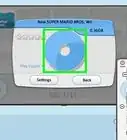
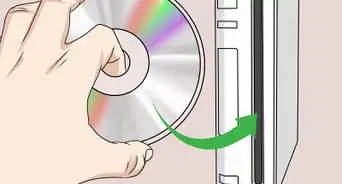
1Once you've set up your Wii, pick which game you're going to play.
-
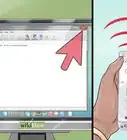
2Make sure that the sensor is on top of your TV set or in front of the area where you want to be while playing.Advertisement
-
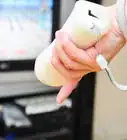
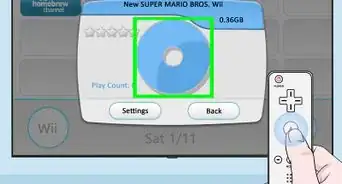
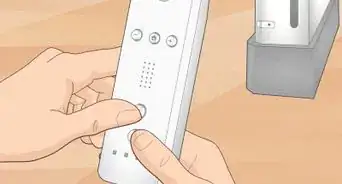
3To manipulate the controller on the screen, point the controller to a point on the screen, and a corresponding icon will appear where you are pointing, and you will be able to move it by simply moving the remote, and pointing at different locations on the screen.Advertisement


Community Q&A
-
QuestionHow do we release the ball on the bowling game?
 Community AnswerOn Wii Sports (2006) and Wii Sports Resort (2009), you would simply flick the Wii remote to release the ball.
 -
QuestionDo I have to have the sensor bar to use the Wii remote?
 Community AnswerYes, the remote needs the sensor bar.
 -
QuestionHow do I get a pre-owned Wii control to work on the Wii?Community AnswerPress the Connect button on the Wii, then press Connect on the controller (the button is typically where the controller's battery is housed).
-
QuestionHow do I set up for left-handed bowling on the Wii?
 Milos TosicCommunity AnswerIn Wii Sports and in Wii Sports Resort, the game will ask you are you left handed or right handed. In other games, follow the on-screen instructions to set it up.
 -
QuestionHow does the Wii remote work?Community AnswerIt sends an infrared signal through the top of the remote to the sensor bar, which tells the Wii where to move the pointer to.
-
QuestionWhat if the icon doesn't show up?
 Community AnswerYou might have to sync it to the Wii or check the batteries. If you mean the lights are on the controller and it's just the icon, try readjusting your sensor.
 -
QuestionWhat if it won't point but is synced?Community AnswerClean the IR window at the top of the remote with plain water, and if needed, mild hand soap. If that does not work, try it with another remote. If neither or only one works, go to support.nintendo.com for help.
-
QuestionMy Wii is not responding to the controller. What can I do?Community AnswerTry to re-sync it and see if that fixes the problem. You can do this by pressing the red button on the front of the console.
-
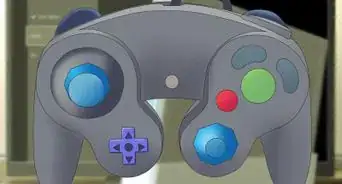
QuestionHow do I work the controls?Community AnswerIf you have trouble using the controls, just practice easy games without pressure, such as Wii Sports. Or, just practice reflexes by asking a friend to say a random button, and then you press it. All it takes is memorization of the controller, which comes with time (not too much), and practice.
-
QuestionHow do I get to the menu during games?
 StephenCommunity AnswerIf you mean the Home menu, just push the Home button on the Wii remote. If you mean the Wii menu, hit the Home button like before, click "Wii Menu" from the menu, and click "Yes". If you mean a game's pause menu, then usually the button to press is the + button.
Warnings
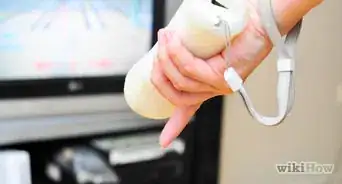
- Be sure to wear the attached wristband during any strenuous play to avoid accidental remote tosses.Thanks!
- If you have a thin wrist strap, you must replace it with a new version of the wrist strap. The reason is that the old version can break easily due to its poor strength. Refer to Nintendo.com to know the old and new version of the wrist strap. When you are on Nintendo.com, go to the customer service section and look for "Important Wrist Strap Information".Thanks!
Advertisement
Things You'll Need
- Wii
- Wii Remote
- Wii Remote Jacket (Recommended to protect your Wii Remote from damage and hurting others.)
- Wii Nunchuck (Required for a few games. Compatible with others.)
- Wii Remote Plus (Required for a few games. However, if your Wii Remote has a "Wii Motion Plus inside" label at the bottom, that means it is built into your Wii Remote and you don't need to buy one!)
- Television
About This Article
Advertisement