X
wikiHow is a “wiki,” similar to Wikipedia, which means that many of our articles are co-written by multiple authors. To create this article, volunteer authors worked to edit and improve it over time.
This article has been viewed 19,331 times.
Learn more...
So you want to learn green screen whether for face cams in gaming or just for an action movie you're planning to make. If you have Sony Vegas Pro 11/12/13, this requires a few simple steps.
Steps
-
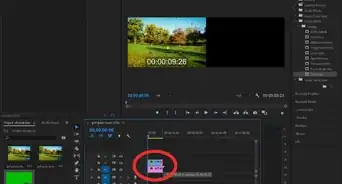
1Get your footage on the timeline.
-
2Click on the FX tool at the bottom right of the video. It looks like a symmetrical icon of two arrowheads pointing towards a rectangle.
-
3Look for a list of effects and plugins. Go to the one called 'Sony Chroma Keyer'.
-
4Choose the colour you want to get rid of. Do this by selecting the colour from the video preview with an eyedropper, it doesn't have to be green.
-
5Exit the tab and you'll see the effects. You can play around with the other settings like threshold and blur.
-
6Boom! You're done.


Warnings
- Make sure to select the right footage on the chroma key.Thanks!




-Step-15.webp)