X
wikiHow is a “wiki,” similar to Wikipedia, which means that many of our articles are co-written by multiple authors. To create this article, volunteer authors worked to edit and improve it over time.
This article has been viewed 12,569 times.
Learn more...
jQuery is the most popular JavaScript language by far, used by many popular websites across the Internet. However, since it is a library, it is not a part of unaltered JavaScript. How, then, can you use jQuery on your website? The process is surprisingly simple and easy, and this article will guide you through it!
Steps
Part 1
Part 1 of 3:Loading jQuery
Part 1
-
1Decide whether you will use a CDN or host the jQuery file yourself. Remember, since jQuery isn't a part of unaltered JavaScript, you will need to load the source code before running your own code. A CDN (Content Delivery Network) has a free-to-use file that you can link to in order to load jQuery on your webpage.
-
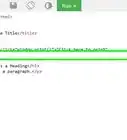
2Create a
<script>tag in the head of your HTML document. -
3Inside your tag, type
src="(Link to your jQuery file here, but don't include the parentheses)".- Google's CDN is located at https://ajax.googleapis.com/ajax/libs/jquery/2.1.3/jquery.min.js.
-
4Make sure the script tag is positioned before any script tags that use jQuery. Otherwise, jQuery will not work.


Part 2
Part 2 of 3:Writing jQuery Within the HTML Document
Part 2


Part 3
Part 3 of 3:Linking to an External File
Part 3
-
1Determine where you will host your jQuery file. It should be a file from the official jQuery website, preferably the production version.
-
2Create another script tag after the tag that loads jQuery.
- Again, writing
type="text/javascript"is unnecessary because JavaScript is the default language for script tags in HTML 5.
- Again, writing
-
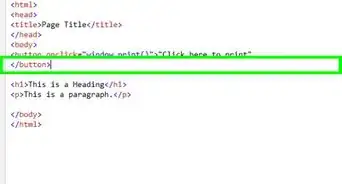
3Inside your opening script tag, write
src="(location of your file)". -
4Make sure nothing lies between your script tags.
-
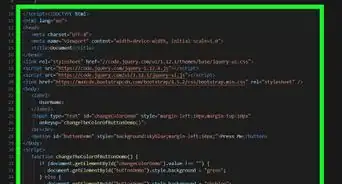
5Test to make sure your code works.




-Step-3.webp)