X
wikiHow is a “wiki,” similar to Wikipedia, which means that many of our articles are co-written by multiple authors. To create this article, volunteer authors worked to edit and improve it over time.
This article has been viewed 26,782 times.
Learn more...
Kindle Fire HD is Amazon’s tablet that boasts a stunning HD display, faster processor, and longer battery life. You can access the internet, Amazon e-book services, and more on this device. This gadget is considered to be one of the more worthy tablets on the market.
Steps
Part 1
Part 1 of 3:Charging the Kindle Fire HD
Part 1
-
1Charge the device. Look in the box to find the charging cable, which should come with your Kindle.
-
2Plug the charging jack (smaller end) into the the Kindle Fire’s charging port on the bottom.
-
3Plug the other end into a wall outlet. You can check if your battery is fully charged when you swipe down from the top of the screen and tap More > Device, you’ll see the Battery Remaining as full.


Part 2
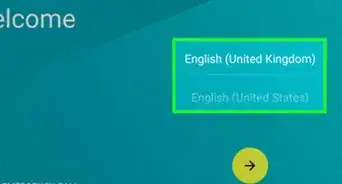
Part 2 of 3:Initial Setup
Part 2


Part 3
Part 3 of 3:Using Kindle Fire HD
Part 3
-
1Download books. Tap the "Store" button and browse through the selection of books.
- Check out the free books first before purchasing paid ones.
-
2Transfer music and other media. Connect your Kindle to your PC using the USB cable that came with it. Once connected, the Kindle should appear in My Computer, much like any other USB device. Copy and paste your media to a folder in the Kindle Fire.
-
3Download apps and games. Head to the "Apps" menu, and tap on the "Store" button in the upper-right corner. Browse the different categories of utility apps, games, and magazines.
- To download the apps, just tap on “Install.”


Community Q&A
-
QuestionI was trying to download a book checked out from the library on my computer, but it downloaded from Amazon for $35.99. How do I delete the charge from Amazon?
 Community AnswerContact Amazon's customer service line and ask them to cancel the order and refund the charges.
 -
QuestionCan the Amazon Kindle fire do the same functions that tablets such as iPad can do?Community AnswerNo. If you want a cheaper tablet than an iPad with similar functionality, go for an Android tablet. The Kindle Fire uses Amazon's app store, which is not nearly as full of apps as the Google Play Store or Apple App Store.
-
QuestionHow do I increase the volume for watching movies?Community AnswerThere is a long bar on the side of the Kindle. Press it at the top and the volume should come up.
-
QuestionHow do I delete books I have read?
 Community AnswerYou need to press and hold your book's icon until a sheet pops up with Setting options. Then press Delete.
 -
QuestionHow do I delete books that are listed but were not downloaded?Community AnswerYou will have to click Delete to delete the book. Find the Delete key on the keyboard on screen and press it.
-
QuestionWhat is the blue shade used for, and how do I turn it off?Community AnswerThe blue shade is used to make your Kindle Fire HD easier to read in the dark. To turn it off, just press the button again.
-
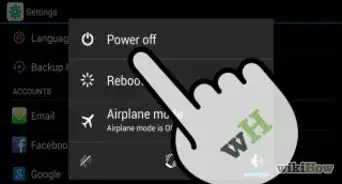
QuestionHow do I turn it on and off?Community AnswerPress and hold the small button on the top right corner of the device. It will power up or, if you are shutting down, a screen will come up asking if you want to shut down.
-
QuestionWhen I turn my Kindle Fire HD on, how to I go to my "desktop" with the icons immediately? I usually get ads and don't know what to do to get to the home page.
 Community AnswerThe ad will will have an X located in the upper left or right corner. Click on the X to close the ad.