X
wikiHow is a “wiki,” similar to Wikipedia, which means that many of our articles are co-written by multiple authors. To create this article, 9 people, some anonymous, worked to edit and improve it over time.
This article has been viewed 23,964 times.
Learn more...
Using sticky notes on your computer is just like using sticky notes in real life! They're good for taking quick, short notes, reminders and staying on task. To find out how to use the Sticky Notes, read on!
Steps


Community Q&A
-
QuestionCan I get my sticky note to stay on my screen, when not utilizing my second monitor, so I can continue to 'speak' between both at the same time?
 Community AnswerAs far as I know, you cannot. The Sticky Notes will be sent back to your desktop, so if you are clicking, you will have to open them again at the bottom menu of your computer.
 -
QuestionHow do I find Accessories in Windows 10?
 Community AnswerWindows 10 does not come with Sticky Notes, you'll have to download a program like "Stickies."
 -
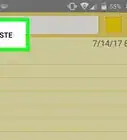
QuestionCan I print my sticky notes?Community AnswerYou can click anywhere on the sticky note and press CTRL + A, and then CTRL + C, and then you can open word or another typing program. Press CTRL + V to copy, and then print the document.