X
This article was written by Jack Lloyd. Jack Lloyd is a Technology Writer and Editor for wikiHow. He has over two years of experience writing and editing technology-related articles. He is technology enthusiast and an English teacher.
This article has been viewed 7,665 times.
This wikiHow teaches you how to solve basic equations using Siri. In order to do so, Siri must be enabled.
Steps
-
1Hold the Home button. It's the round button at the bottom of your iPhone, iPad, or iPod touch's casing.
- You may have to enter a passcode and tap the Home button to unlock your iOS device first.
- If you're using Siri on a Mac, click the multicolored icon in the top right corner of your screen.
- Siri is available on iPhones 4S and up, iPod Touch 5 and up, iPad 3 and up, and MacOS Sierra and up.
-
2Tell Siri your equation. For example, if you want to solve 220 divided by 18, you would say "Solve two hundred twenty divided by eighteen."
- If you want to include a decimal point in your equation (e.g., "220.9"), you should say "point" (e.g., "two hundred twenty point nine").
-
3Wait for Siri to answer. Depending on how complex your question is, this can take anywhere from a second to several seconds.
-
4Use Siri to solve advanced equations. For example, you can solve quadratic equations or factorials by telling Siri to solve for the base equation:
- For "", you would say "Solve X squared plus three X minus four equals zero."
- For "", you would say "Solve eight factorial."
-
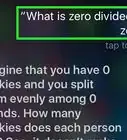
5Ask Siri other math-related questions. For example, you could say "How many prime numbers are between 1 and 100?"
- You could also ask Siri to calculate the tip for a meal by saying "What is a 20 percent tip on a $350 meal?"[1]
-
6Ask Siri about equations you don't know. You might ask "How do you find the circumference of a circle?" to find out the equation used to measure circumference, for example.
- Asking about complex equations may lead Siri to link you to an online article about the subject.


Warnings
- If you don't say "Solve" before stating an equation that starts with a variable (e.g., "Y"), Siri may hear "why" or another word instead.Thanks!












References
About This Article
Article SummaryX
Hold the Home button and say "solve" followed by your equation.
Did this summary help you?