X
This article was written by Nicole Levine, MFA. Nicole Levine is a Technology Writer and Editor for wikiHow. She has more than 20 years of experience creating technical documentation and leading support teams at major web hosting and software companies. Nicole also holds an MFA in Creative Writing from Portland State University and teaches composition, fiction-writing, and zine-making at various institutions.
This article has been viewed 11,302 times.
This wikiHow teaches you how to pay for Amazon.com purchases with PayPal by purchasing an Amazon gift card.
Steps
-
1Go to https://www.paypal-gifts.com/ in a web browser. You can use this site to purchase an Amazon gift card that will be immediately available for your Amazon purchases.
-
2Click Amazon.com gift card. It’s under “Popular Gift Cards.”
-
3Enter a price. Click one of the price suggestions or type your desired amount into the “Enter value” blank.
- You can enter any price between $25 and $100.
-
4Click Buy for Me. It’s beneath the price options.
-
5Check the box and click Continue. This ensures that you’ve read PayPal Gifts’ Terms and Conditions.
-
6Sign in to your PayPal account. Enter your PayPal username and password into the blanks, then click Log In.
-
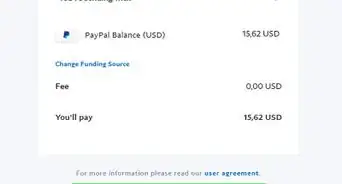
7Select a payment method. You can select a bank account or credit/debit card just as you would with any other PayPal purchase.
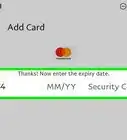
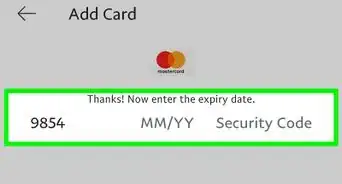
- To add a new debit or credit card, click Add a debit or credit card, then enter that card’s information.
-
8Click Pay Now. This charges the cost of the Amazon gift card to the selected account. In a few moments, you will receive an email containing your gift card claim code.
-
9Open the email from PayPal containing your gift card. You’ll find a code made of three groups of of letters and numbers separated by hyphens in the message. This is your gift card claim code.
-
10Navigate to https://www.amazon.com/gp/css/homepage.html/ref=nav_youraccount_ya. If you aren’t signed in to your Amazon account, sign in now.[1]
-
11Click Gift Cards.
-
12Click Redeem a Gift Card. It’s right below your current gift balance.
-
13Enter the claim code from the email message. You don’t have to enter the hyphens.
-
14Click Apply to your balance. The value of the gift card is now applied to your Amazon account. The next time you make a purchase, the funds will be withdrawn from the gift card balance.



About This Article

Nicole Levine, MFA
Tech Specialist
This article was written by Nicole Levine, MFA. Nicole Levine is a Technology Writer and Editor for wikiHow. She has more than 20 years of experience creating technical documentation and leading support teams at major web hosting and software companies. Nicole also holds an MFA in Creative Writing from Portland State University and teaches composition, fiction-writing, and zine-making at various institutions. This article has been viewed 11,302 times.
How helpful is this?
Co-authors: 2
Updated: August 8, 2019
Views: 11,302
Categories: PayPal