This article was written by Darlene Antonelli, MA. Darlene Antonelli is a Technology Writer and Editor for wikiHow. Darlene has experience teaching college courses, writing technology-related articles, and working hands-on in the technology field. She earned an MA in Writing from Rowan University in 2012 and wrote her thesis on online communities and the personalities curated in such communities.
The wikiHow Tech Team also followed the article's instructions and verified that they work.
This article has been viewed 1,349,354 times.
This wikiHow teaches you how to permanently close your personal PayPal account. Once your PayPal account is closed, you won't be able to reopen it. Any scheduled or incomplete transactions will be canceled. You can’t close your account if there are limitations, unresolved issues, or a balance connected to it.
Steps
-
1Go to https://www.paypal.com in a web browser. You can use any web browser to close your PayPal account. Then click on Log in in the upper-right corner of the window.
- You can't deactivate your account from the PayPal mobile app.
-
2Log in. Type the email associated with your account and your password into the labeled fields and click on Log In.
- Before you can close the account, you must verify it and transfer all remaining funds to your bank.
- If you have any unresolved issues, such as a dispute or pending transactions, your account cannot be closed until they are resolved.
Advertisement -
3
-
4Click the ACCOUNT tab. It's in the menu that runs horizontally across the top of your window, next to SECURITY, PAYMENTS, and NOTIFICATIONS.
-
5Click Close your account. It's under the "Account options" section.
-
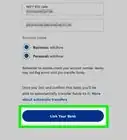
6Enter your bank account number (if prompted). If you don't have an attached bank account, you won't be asked for this and can skip this step.
-
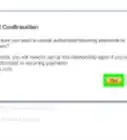
7Click Close Account. Your PayPal account will be closed and you'll get an email confirmation of the action.
- Once closed, a PayPal account can't be reopened.[1]
Advertisement


Community Q&A
-
QuestionIs it possible to close an account and then start a new account with the same email address?
 Community AnswerYes, you can reuse your e-mail address that you have used on a previously closed Paypal account.
 -
QuestionMy email address shows when I log in. How do I stop this from happening?
 Community AnswerEliminate your cache and cookies. Select "Tools" or "Preferences" from your web browser's drop-down menu, and look for a tab or section with the name "privacy." There should be an option called "clear all history/cookies/cache." Click on that, and you should be given an option to pick what you want to delete (cache, cookies, history, etc.) and from where (the very beginning, a month ago, a week ago, etc.).
 -
QuestionCan I cancel my Paypal account over the phone?
 Community AnswerYes. Just call Customer Service and they can help you step by step in closing your account.
 -
QuestionDoes PayPal delete all my information when I close my account?Community AnswerNo. They don’t delete anything. All they do is deactivate the account so it can’t be used anymore.
-
QuestionWhen will I receive my balance after closing my account?Community AnswerStatements are prepared just before the end of the month, so it depends on when the account was closed.
-
QuestionWhy can't I open a new account with the same information after I closed my PayPal account?Community AnswerPayPal doesn't delete your information from record. It's to prevent fraudulent use of your details, but it means you can't use the same ones to open a new account.
-
QuestionMy father is deceased, how can I close his PayPal account without his password?Community AnswerYou should be able to retrieve his password through the phone number or email address he set up for his account. Click "Having trouble logging in?" under the login area and follow the steps.
-
QuestionIs it possible to close an account and then start a new account with the same email address?Community AnswerIt depends on how PayPal sets up their email system. Sometimes websites actually remove your email from their database when closing an account, meaning it can be used again instantaneously. However, some keep it for a period of time during which you would be unable to sign up with the same email. The only way to know for sure is to try, but there shouldn't be a problem assuming the account was successfully deleted.
-
QuestionMy husband has passed away and I would like to close his PayPal account. How do I do this?
 Community AnswerLogin into his account and under account settings, click close account. Make sure you take any the money out of the account first.
 -
QuestionCan I open more than one PayPal account if I have different email addresses and phone numbers, or do I need to delete the original account first?Community AnswerYou can open more than one Paypal account with different email accounts, but you cannot add the same credit/debit cards to multiple accounts. You'll need to delete card info from other account.




About This Article

1. Go to https://www.paypal.com in a web browser.
2. Log in.
3. Click the gear icon.
4. Click the Account tab.
5. Click Close your account.
6. Enter your bank account number (if prompted).
7. Click Close Account.