X
wikiHow is a “wiki,” similar to Wikipedia, which means that many of our articles are co-written by multiple authors. To create this article, volunteer authors worked to edit and improve it over time.
This article has been viewed 38,200 times.
Learn more...
BBCode is an extremely simple version of formatting, which many forums and browser-based games allow. While the amount that is usable is always going to be limited, we'll go over a majority of the codes and their effects here. Using this How-to, you'll be an "expert" in BBCode in no time.
Steps
-
1Start by typing out a message, as you normally would. After you're done, you can go back and add the following "codes" to your text for effects. All codes must, must, must be followed with a closing tag to end their effect. For example, "[b]H[/b]ello" would have the code cut off at the H, leaving the rest without bold.
- [b] Example: Bold Use: Bold text for emphasis.
- [i] Example: Italics Use: Italicizes text for emphasis or titles.
- [u] Example: Underline Use: Underlines text for titles, generally.
- [s] Example:
StrikethroughUse: Puts a single line through the text, generally used to suggest that something is no longer applicable. - [color="color or hex code"]. Example: Colored Text Use: Adds color to your text.
- In the citations, there are links which have lists of colors.
- [size="number"] Example: None. Use: Makes text's size adjustable.
- [code]"Text here"[/code] Example: None. Use: Allows the posting of code without it triggering, generally.
-
2Move on to non-text BBCode, such as this:
- [img=http://www.LinkGoesHere.com/images/example.exmple] Use: Displays an image from the site you are linking to.
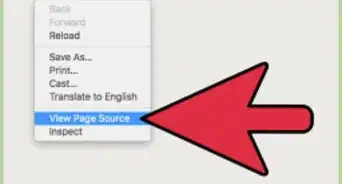
- Get an image's location on a site by right-clicking and selecting Properties, then copying the "Image Location". Depending on the browser, the same function can be done by right-clicking and selecting "Copy Image URL".
- [quote] Text [/quote] Use: On Forums and other sites, this is used to quote another user. Generally, there is a button for it, so it's rare that you'll ever have to type this out yourself.
- [url=http://www.LinkGoesHere.com]Example[/url] Use: Posts a link.
- In this particular scenario, the hotlink would be named "Example". You can alternatively post a link by just doing [url]http://www.LinkGoesHere.com[/url], but that displays the URL you are linking to, which wastes space.
- [img=http://www.LinkGoesHere.com/images/example.exmple] Use: Displays an image from the site you are linking to.


Community Q&A
-
QuestionHow to add two pictures (left and right) in 1 layer?
 Nukesh AravindCommunity AnswerVery simple just edit it with MS paint. Just Copy the picture and past it in plain MS office and copy the next picture then past it in the same paint window. You can edit the background in the same way and then you can merge the both in the one single image. You can also try Photoshop if you need it with more effects.
Warnings
- Don't overuse BBCode. The sites that do allow it generally have some rules controlling the use of it. Read these before attempting to use it.Thanks!
- Avoid nauseous colors like "vivid orange" and "neon green" when posting, if BBCode is enabled and color is allowed. It's considered spam by some forums, and frowned upon.Thanks!