X
wikiHow is a “wiki,” similar to Wikipedia, which means that many of our articles are co-written by multiple authors. To create this article, volunteer authors worked to edit and improve it over time.
This article has been viewed 16,270 times.
Learn more...
Are you reading a book and now trying to tell your friends about it? With Goodreads you can keep your friends up-to-date on your book-reading progress. This article can explain how to do that.
Steps
-
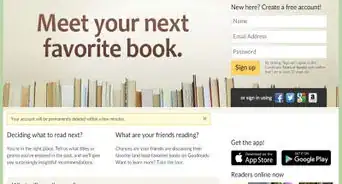
1Open your web browser to the Goodreads website.
-
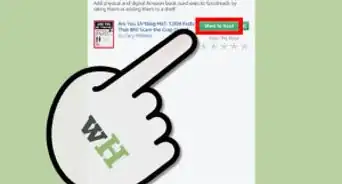
2Place the books you have bookmarked from the "to-read" shelf to your "currently-reading" shelf. The currently-reading shelf is the only shelf that is set up to receive these updates (obvious as it's name implies).Advertisement


Method 1
Method 1 of 2:From Goodreads Homepage
Method 1
-
1Make sure you are at your personal Goodreads homepage, with the news feed being shown to you.
-
2Look over on the right-hand side of the page. You'll see a section labeled "currently-reading" and contains the books that you have on your "currently-reading" shelf. See it? There's no scrolling involved just yet.
-
3Locate the book you'd like to update the reading status of.
-
4Click the "update status" link just below and to the right of the name of the book that you'd like to update.
-
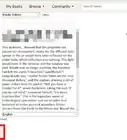
5Click into the box to the right of the stating labeled-text "I'm on page" and type the page number at which you're now positioned at.
-
6Type a message (optional) explaining your thoughts about the book into the box below this. Use this box for stuff that have to do with your reading status.
-
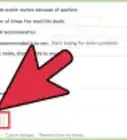
7Click the "save progress" button.
-
8Recognize how to mark them as complete. The button for marking the book as complete is within this and is labeled "I'm finished" to the right of the "Save progress" button.
- Realize that updating the progress of the book past the last numbered page from the profile on this box, won't mark a book as complete. You must click the link to complete it.
- If you'd like, it'll ask you whether or not you want to rate and/or review the book, or one of the many other things you can do with the site.
Advertisement


Method 2
Method 2 of 2:From Goodreads Books Profile Page
Method 2
-
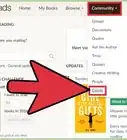
1Click the "My Books" link from the top tab on any part of the website.
-
2Go to the "currently-reading" shelf.
-
3Click to the book's profile page you'd like to update the status of, that describes the book.
-
4Scroll down just a little bit, until you come to a section labeled "Progress" under the section heading labeled "My Review".
-
5Click into the box to the right of the stating labeled-text "I'm on page".
-
6Type the page number of the book you are currently positioned at.
-
7Type a comment message (optional) explaining your thoughts about the book into the box initially labeled " Add a quote, comment or note" below this. Use this box for stuff that have to do with your reading status.
-
8Click the "save progress" button.
-
9Recognize how to mark them as complete. Just move the book to the "read" shelf, which is just to the right of the "Save progress" button.
- Realize that updating the progress of the book past the last numbered page from the profile on this box, won't mark a book as complete. You must click the link to complete it.
- If you'd like, it'll ask you whether or not you want to rate and/or review the book, or one of the many other things you can do with the site.
Advertisement


Community Q&A
-
QuestionIs this feature suspended as of 1/1/19?
 Community AnswerNo. This feature still exists, but with two differences: you can now choose between the page you're on, or the percentage of the book you've finished; and your currently-reading books have been on the left rather than the right side of your feed for at least five years now.
About This Article
Advertisement