X
wikiHow is a “wiki,” similar to Wikipedia, which means that many of our articles are co-written by multiple authors. To create this article, volunteer authors worked to edit and improve it over time.
This article has been viewed 20,094 times.
Learn more...
Sometimes it can be hard to discern a series of books in your Goodreads shelved books list. A downloadable list may help, and Goodreads has you covered. With a few clicks, you can export and download this list so you can use this data offline, as you wish.
Steps
-
1Open up and login to Goodreads in your web browser.
-
2Access the page that will get you to export your list of shelved books.
- Click the My Books link at the top of the page.
- Click the "import/export" link in the left-hand column of page links from the page that comes up.
Advertisement -
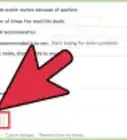
3Locate and click the "Export Library" button. This button will be located over on the right hand side of the page underneath the "Export Your Books" title/label.
-
4Wait a few moments for it to begin the download. As the download begins, the page refreshes and shows an updated button. Once the downloaded file arrives, the "Export Library" button will jump down a line and a new line of the exported datasheet will be displayed.
- For large accounts with hundreds to thousands of books, this may take several minutes, but for those that have fewer (about 50-75 shelved books), this should take just a few seconds.
-
5Click the "Your Export" link. This link is your downloadable CSV file, which you can view in most spreadsheet programs and some super-simple word processing programs.
-
6Download the file to your computer. Although the downloaded file location will vary from computer to computer, most often you will find it in your Downloads folder.
-
7Open the downloaded file. Click the "Open" (or similar) button on the download box that pops up for the downloaded file.
-
8Read this spreadsheet. You may just need the title and author, but there are other columns as well, containing the Goodreads-ID number for the book, ISBN or ASIN number of the book (dependent on format of the book item you shelved), the type of books, number of pages, and some publication data. If you've rated, reviewed, or organized the books, you'll also see some of the text to the review you might have written, your ratings for these books, and the shelves the books have been placed on, as well as date added and date read dates and several other rarely-used pieces of information.Advertisement


Warnings
- You can't export your list more than once every few weeks. If left unused, the old file will vanish and the page of exported files will be blank.Thanks!
Advertisement


About This Article
Advertisement