This article was written by Nicole Levine, MFA. Nicole Levine is a Technology Writer and Editor for wikiHow. She has more than 20 years of experience creating technical documentation and leading support teams at major web hosting and software companies. Nicole also holds an MFA in Creative Writing from Portland State University and teaches composition, fiction-writing, and zine-making at various institutions.
This article has been viewed 215,848 times.
As of December 2020, updates and support are no longer available for Adobe Flash Player. It's no longer possible to download any Flash Player software, and major web browsers such as Chrome, Safari, and Firefox no longer include their own Flash players. Although you can no longer update Flash, there are a couple of regularly-updated Flash alternatives that can fill the Flash void.
Steps
Method 1
Method 1 of 3:Is there a Flash alternative for my web browser?
-
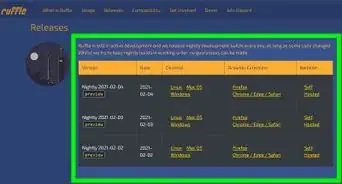
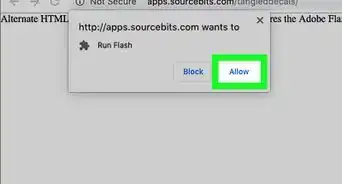
1Try Ruffle. You can use Ruffle to replace Flash. Ruffle is a Flash emulator that can play actual Flash content on the web, as well as any Flash content you've downloaded to your computer. This software is growing in popularity and updates are regularly available.Advertisement

Method 2
Method 2 of 3:How can I play Flash games that aren't online anymore?
-
1You can use Flashpoint to play lots of your favorite Flash games. Flashpoint is a downloadable collection of nearly 80,000 classic flash games and animations. Instead of relying on the risky Adobe Flash Player, Flashpoint comes with its own software called Flashpoint Secure Player that is safe to use. The software is actively maintained by the open-source community so updating the software will not be a problem.

Method 3
Method 3 of 3:What are the best practices for developers?

Community Q&A
-
QuestionHow to update a Flash player plugin?
 ToasterflameTop AnswererFlash player is now dead. Adobe no longer allows the files for flash to be downloaded from their site and cannot be updated. However, Flashpoint is a software that has a repository of most Flash games and content that can be played and downloaded.

-Step-10-Version-3.webp)
About This Article