This article was co-authored by Darlene Antonelli, MA. Darlene Antonelli is a Technology Writer and Editor for wikiHow. Darlene has experience teaching college courses, writing technology-related articles, and working hands-on in the technology field. She earned an MA in Writing from Rowan University in 2012 and wrote her thesis on online communities and the personalities curated in such communities.
This article has been viewed 1,373 times.
This wikiHow will teach you how to uninstall old versions of Java using the uninstall tool for Windows as well as how to manually delete Java on Mac. Old versions of Java could potentially be a security risk for your computer, so you'll want to uninstall them.
Steps
Method 1
Method 1 of 2:Using Windows
-
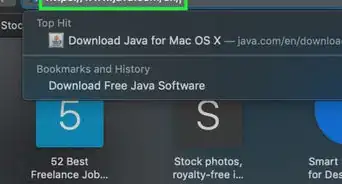
1Go to https://www.java.com/en/download/uninstalltool.jsp in a web browser. You can use any web browser to download the tool and use it.
-
2Click I agree to the Terms and Want to Continue. Click the links around the page to get more information about this tool and it's Terms and Conditions.Advertisement
-
3Open the downloaded file. Many browsers will give you a notification when your file is done downloading that you can click. Otherwise, you should find this file in the "Downloads" folder in your file manager.
-
4Click Yes. You need to give the app administrative permission to uninstall old versions of Java.
- After you give the program permission, it'll work to uninstall any old versions of Java on Windows.[1]
Advertisement


Method 2
Method 2 of 2:Using Mac
-
1Open Terminal. You can search for 'Terminal' in Spotlight or locate the app in the Utilities folder in Finder.
-
2Enter
"sudo rm -fr /Library/Internet\ Plug-Ins/JavaAppletPlugin.plugin"and press ⏎ Return. This is only command 1 of 3 that will uninstall Java from your Mac. -
3Enter
"sudo rm -fr /Library/PreferencePanes/JavaControlPanel.prefPane"and press ⏎ Return. This is only command 2 of 3 that will uninstall Java from your Mac. -
4Enter
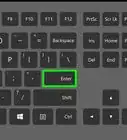
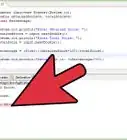
"sudo rm -fr ~/Library/Application\ Support/Java"and press ⏎ Return. This is command 3 of 3 that will uninstall Java from your Mac.- After you've entered this command, you can close Terminal.[2]
Advertisement


-Step-42.webp)
-Step-4-Version-2.webp)
References
About This Article

1. Go to https://www.java.com/en/download/uninstalltool.jsp in a web browser.
2. Click I agree to the Terms and Want to Continue.
3. Open the downloaded file.
4. Click Yes.
-Step-42.webp)