X
wikiHow is a “wiki,” similar to Wikipedia, which means that many of our articles are co-written by multiple authors. To create this article, volunteer authors worked to edit and improve it over time.
This article has been viewed 272,001 times.
Learn more...
Do you want to set Java Home? The variable Java Home, generally written as JAVA_HOME, is set to the install path of Java. Learning how to set JAVA_HOME in Windows and Linux isn't hard to do.
Steps
Method 1
Method 1 of 2:For Windows
Method 1
-
1Assuming that the path for the Java Development Kit (JDK) during installation is not changed, it will be in a directory under C:\Program Files\Java. This path will have the JDK, let's assume it has jdk1.6.0_06. So the install path is C:\Program Files\Java\jdk1.6.0_06.
-
2Setting JAVA_HOME using "My Computer":
- Right click on the My Computer icon on your desktop and select properties
- Click the Advanced Tab
- Click the Environment Variables button
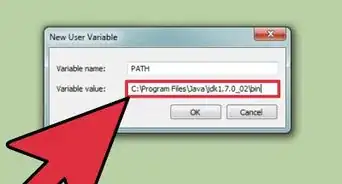
- Under System Variable, click New
- Enter the variable name as JAVA_HOME
- Enter the variable value as the install path "C:\Program Files\Java\jdk1.6.0_06"
- Click OK
- Click Apply Changes
- Restart the computer to make sure the changes are reflected.
-
3Setting JAVA_HOME using command prompt
- Open command prompt
- Type the following in the command prompt
set JAVA_HOME = C:\Program Files\Java\jdk1.6.0_06
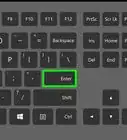
and press enter
The JAVA_HOME is set.


Method 2
Method 2 of 2:For Linux
Method 2
-
1To set the JAVA_HOME we use .bash_profile which is a start-up script. This particular file is used for commands which runs when the normal user logs in. The steps to set JAVA_HOME are:
- Login to your account and open .bash_profile file
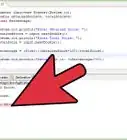
$ vi ~/.bash_profile - If your path is set to /usr/java/jdk1.6.0_06/, set JAVA_HOME as follows:
export JAVA_HOME=/usr/java/jdk1.6.0_06/ - Save and close the file. Logout and login back to see new changes, or type source ~/.bashrc
- Login to your account and open .bash_profile file

-Step-42.webp)
-Step-4-Version-2.webp)
-Step-42.webp)