X
This article was written by Nicole Levine, MFA. Nicole Levine is a Technology Writer and Editor for wikiHow. She has more than 20 years of experience creating technical documentation and leading support teams at major web hosting and software companies. Nicole also holds an MFA in Creative Writing from Portland State University and teaches composition, fiction-writing, and zine-making at various institutions.
The wikiHow Tech Team also followed the article's instructions and verified that they work.
This article has been viewed 7,308 times.
This wikiHow teaches you how to type the Indian rupee (₹) symbol on your Samsung Galaxy.
Steps
-
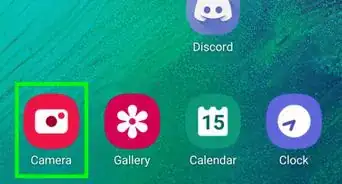
1Open an app that uses the keyboard. You can use any app like Messages, Notes, your email app, and even the web browser.
-
2Tap the typing area. This opens the keyboard.
-
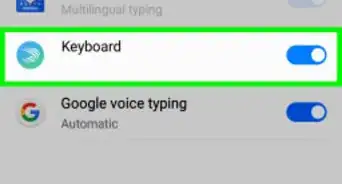
3Tap the gear key. It's on the bottom row of keys.
- If you don't see this key, tap and hold the microphone key until additional keys appear, then tap the gear.
-
4Tap Languages and types. It's at the top of the menu.
-
5Tap MANAGE INPUT LANGUAGES. A list of languages will appear.
-
6Scroll down to “Available Languages.” It's the second section, after the languages that are already installed.
-
7
-
8Scroll up to the “DOWNLOADED LANGUAGES” section. It's the first section on the page.
-
9
-
10Return to the keyboard. You can tap the back button until you see it, or tap the typing area in app again.
-
11Swipe left or right on the space bar to Hindi. It's the wide key at the bottom of the keyboard. This swipes through the installed languages. You can stop swiping when the keyboard switches to Hindi.
-
12Tap the symbols key. It's at the bottom-left corner of the keyboard. It's the one with multiple symbols and an emoji icon.
-
13Tap the ₹ (rupee) key. This inserts the symbol into the typing area.
- To switch back to the default language, swipe left or right on the space bar again until it appears.





About This Article

Nicole Levine, MFA
Tech Specialist
This article was written by Nicole Levine, MFA. Nicole Levine is a Technology Writer and Editor for wikiHow. She has more than 20 years of experience creating technical documentation and leading support teams at major web hosting and software companies. Nicole also holds an MFA in Creative Writing from Portland State University and teaches composition, fiction-writing, and zine-making at various institutions. This article has been viewed 7,308 times.
How helpful is this?
Co-authors: 3
Updated: September 6, 2019
Views: 7,308
Categories: Samsung Galaxy