This article was written by Travis Boylls. Travis Boylls is a Technology Writer and Editor for wikiHow. Travis has experience writing technology-related articles, providing software customer service, and in graphic design. He specializes in Windows, macOS, Android, iOS, and Linux platforms. He studied graphic design at Pikes Peak Community College.
The wikiHow Tech Team also followed the article's instructions and verified that they work.
This article has been viewed 57,177 times.
Android and Samsung Galaxy phones don't allow you to 'leave' a group text.[1] When a sender sends a text message to a group of people, all recipients receive it as a group message. However, you can mute and delete a conversation. If worse comes to worst, you can block users from sending text messages. This wikiHow teaches you how to mute and delete a group text message as well as how to block senders on Samsung Galaxy.
Steps
Method 1
Method 1 of 2:Hiding and Deleting a Group Text
-
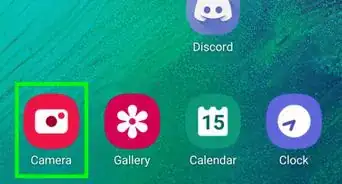
1Open your Samsung Galaxy's Messages App. It has an icon that resembles a speech bubble. Tap the icon on your Home screen or Apps menu.
-
2Tap and hold the group conversation you want to leave. This displays a pop-up at the bottom of the screen.
-
3Tap Notifications . It's the first option in the menu at the bottom of the screen. It has an icon that resembles a bell with a line through it. This disables notifications so that you are no longer alerted when you receive messages from this group.
- Alternatively, you can open the group conversation, tap the icon with three vertical dots in the upper-right corner (⋮). Then tap the bell icon in the lower-right corner of the menu.[2]
-
4Tap and hold the conversation again. This displays the same pop-up at the bottom of the screen again.
-
5Tap Delete. It's the second button at the bottom of the screen. It has an icon that resembles a trashcan.
-
6Tap Delete. This confirms that you want to delete the conversation and deletes it.


Method 2
Method 2 of 2:Blocking a Group Text Number
-
1Open your Samsung Galaxy's Messages App. It has an icon that resembles a speech bubble. Tap the icon on your Home screen or Apps menu.
-
2Tap a group conversation you want to leave. This displays a popup at the bottom of the screen.
-
3Tap a user that is constantly sending messages. This displays the information page for that sender. If a sender is persistently sending group text messages that you don't want, you can block that number. This will block all messages from that sender. Make sure it's a sender that you don't need to hear from.
-
4
-
5Tap Block. This confirms that you want to block the number and blocks it. You will not receive any more text messages from that sender.
- If there is more than one sender in a group text that is constantly sending you text messages, you can block multiple users.




References
About This Article

1. Open the Messages app.
2. Tap and hold a group conversation.
3. Tap Notifications at the bottom of the screen to mute the conversation.
4. Tap and hold the group conversation again.
5. Tap Delete at the bottom of the screen.
7. Tap Delete to confirm that you want to delete the conversation.