X
This article was co-authored by wikiHow Staff. Our trained team of editors and researchers validate articles for accuracy and comprehensiveness. wikiHow's Content Management Team carefully monitors the work from our editorial staff to ensure that each article is backed by trusted research and meets our high quality standards.
This article has been viewed 686,453 times.
Learn more...
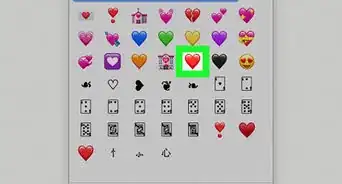
This wikiHow teaches you how to type a heart (♥) symbol in Windows applications.
Steps
Method 1
Method 1 of 2:On Keyboards With Numeric Keypads
Method 1


Method 2
Method 2 of 2:On Keyboards Without Numeric Keypads
Method 2
-
1Click on the location where you want to insert the heart.
-
2Press NumLock. It's usually in the upper-right part of the keyboard.
-
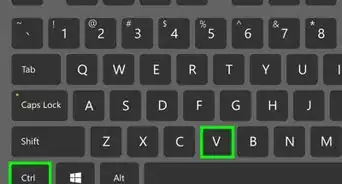
3Press Alt.
-
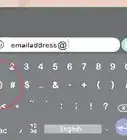
4Press the small 3 on the virtual keypad. It's usually on or near the J, K, or L keys. A heart (♥) symbol will appear where you placed the cursor.[1]
- Even if the keys are unlabeled, the keypad will still work when Num Lock is on.[2]
Advertisement


Community Q&A
-
QuestionHow do I type a heart symbol on a Mac?
 Community AnswerPress the Control + Command + Space keys to open the character finder. You will find the heart there.




References
About This Article

wikiHow Staff
wikiHow Staff Writer
This article was co-authored by wikiHow Staff. Our trained team of editors and researchers validate articles for accuracy and comprehensiveness. wikiHow's Content Management Team carefully monitors the work from our editorial staff to ensure that each article is backed by trusted research and meets our high quality standards. This article has been viewed 686,453 times.
How helpful is this?
Co-authors: 50
Updated: April 14, 2019
Views: 686,453
Categories: Emoticons and Emojis
Article SummaryX
1. Click on the location where you want to insert the heart.
2. Press Alt.
3. Press 3 on the numeric keypad.
Did this summary help you?
Advertisement