wikiHow is a “wiki,” similar to Wikipedia, which means that many of our articles are co-written by multiple authors. To create this article, 9 people, some anonymous, worked to edit and improve it over time.
This article has been viewed 78,380 times.
Learn more...
You had a memorable vacation, adopted a new puppy, or whatever occasion you took your photos for you want to make a screen saver out of those photos. It's an excellent idea to turn your favorite photos into the slide show (your screen saver) as it will serve two difference purposes- to protect your monitor and to enjoy your photos. It's not hard to do. Just carefully follow the step-by-step instructions and you will manage. The photos you want to turn into the screen saved must be placed in the same folder which you name to your liking. Examples: "vacation", "dog", "family" etc.
Steps
-
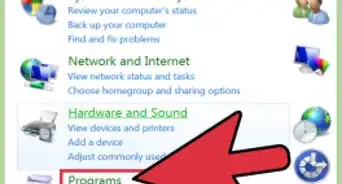
1Click on Control Panel on your computer to open it.
-
2Advertisement
-
3
-
4
-
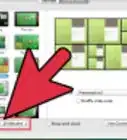
5[[Image:Turn Your Favorite Photos into a Screensaver (on Windows 7) Step 5.jpg|center]In the left (bigger) window change a screen saver to "Photos" using a tiny arrow on the right.
-
6
-
7Click on Save button to save your work when you done.
-
8Return to "Settings" screen and click a Preview button to test how it works.
-
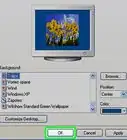
9Determine if it looks good to you. If it does, click on Apply button and then click on OK. If it does not look good, return to step 6 and continue go from there.
-
10The example used here used a folder "Downloads" for the screen saver.Advertisement
-Step-1.jpg)
-Step-2.jpg)
-Step-3.jpg)
-Step-4.jpg)
-Step-6.jpg)
-Step-7.jpg)
-Step-8.jpg)
-Step-10.jpg)
Community Q&A
-
QuestionHow do I turn a screenshot into wallpaper for an iPad?
 Community AnswerYour screenshot should be in "All Photos," then go to Wallpapers in Settings. Look for your screenshot and set it as your wallpaper.
 -
QuestionWhy is the painting I chose as my screensaver blurry?Community AnswerMost likely it's the actual painting that is blurry. Make sure you have a good quality painting image.


-Step-55-Version-2.webp)