This article was co-authored by wikiHow Staff. Our trained team of editors and researchers validate articles for accuracy and comprehensiveness. wikiHow's Content Management Team carefully monitors the work from our editorial staff to ensure that each article is backed by trusted research and meets our high quality standards.
This article has been viewed 3,833 times.
Learn more...
This wikiHow article shows you how to turn “Safe Mode” off on Tumblr. Tumblr is a great website for blogging, GIFs, memes, and more. However, they can be strict when it comes to content and what they deem to be inappropriate. If you want to view all content on Tumblr, you will have to turn “Safe Mode” off. Luckily, there are easy ways to do this whether you're using a desktop computer or mobile device.

Steps
Method 1
Method 1 of 2:Using a Browser
-
1Go to the Tumblr website. You can find the Tumblr website here: https://www.tumblr.com/
-
2Log in to your account. Click the gray “Log in” button in the center of the screen. Enter your email address and click the blue “Next” button. You will then have two options for completing the login. You can click “Send me a magic link” which emails you a link to login. Otherwise, click “Use password to log in” and simply enter your password.Advertisement
-
3
-
4
-
5Toggle the switch off next to Safe Mode. In the “Filtering” section of your account settings, you will see a toggle next to “Safe Mode.” When Safe Mode is on, the toggle will be blue (this is the default) and when it is off it is gray. Click on the toggle to turn it off. After this, Safe Mode will be turned off and you will be able to see any explicit content allowed on Tumblr.Advertisement


Method 2
Method 2 of 2:Using the Mobile App
-
1Open the Tumblr app. The Tumblr app has a dark blue background with a white “t” on it,
-
2
-
3
-
4Select General settings at the top of the page. This will be the top option on the page.
-
5Tap Filtering. This option should be about halfway down the screen, directly below “Dashboard preferences.”
-
6Toggle the switch off next to Safe Mode. This page will only have one option to choose from. When Safe Mode is on, the toggle will be blue (this is the default) and when it is off it is gray. Tap on it to disable Safe Mode and you will now be able to access and view all of Tumblr's explicit content.Advertisement


Community Q&A
-
QuestionHow do I turn off safe mode on Tumblr? There is no toggle.
 Community AnswerThere are two methods bases on type of device used, For IOS, Go to Setting>Tumblr>Safemode>Select don't hide anything. For Android, Go to Tumblr>General settings>Filtering>Safe mode off.




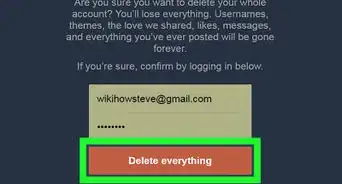


About This Article

1. Go to the Tumblr website.
2. Log in to your account.
3. Click the account icon in the top right corner.
4. Click on Settings.
5. Toggle the switch Off next to Safe Mode.