This article was written by Darlene Antonelli, MA. Darlene Antonelli is a Technology Writer and Editor for wikiHow. Darlene has experience teaching college courses, writing technology-related articles, and working hands-on in the technology field. She earned an MA in Writing from Rowan University in 2012 and wrote her thesis on online communities and the personalities curated in such communities.
This article has been viewed 19,153 times.
Although you can’t password-protect a primary blog, you can add a password to a secondary blog. If you want to keep your primary blog safe, you can hide it from showing up in search results and from people who aren't logged in to Tumblr. When a Tumblr is password-protected, new posts won’t be shared on a feed, no one can follow that blog, and posts cannot be shared. This wikiHow will show you how to password-protect your secondary Tumblr blog as well as hide your primary blog.
Steps
Method 1
Method 1 of 2:Protecting Your Secondary Blog
-
1Go to https://tumblr.com in a web browser. You can do this from any PC, Mac, Android, iPhone, or iPad. Phone and tablet users will need to take these actions through a web browser like Chrome or Safari.
- Login if prompted.
-
2Advertisement
-
3Click Settings.
-
4Click to activate your secondary blog from the menu on the right. You’ll see the list of your created Tumblr blogs in a menu that’s on the right.
-
5
-
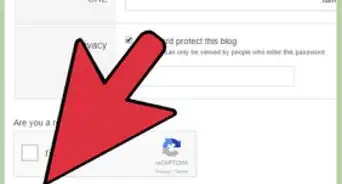
6Type the password you want to set on the blog. Only people who know this password will be able to see blog posts from this blog.
-
7Press ↵ Enter or ⏎ Return on your keyboard. You’ll see a green “Saved” icon appear to confirm your changes.
- When someone visits your blog, they need to enter the password before they can see any content.[1]
Advertisement


Method 2
Method 2 of 2:Hiding Your Primary Blog
-
1Go to https://tumblr.com in a web browser. You can do this from any PC, Mac, Android, or iOS device.
- Login if prompted.
-
2
-
3Click Settings.
-
4Click your primary blog from the menu on the right. There’s a star next to the blog name to indicate it is the primary blog.
-
5
-
6Slide the "Hide from search results" switch to the On position. This will hide the blog from internal searches within tumblr.com as well as Google or Yahoo searches. A green “Saved” icon appears to confirm changes.Advertisement


Community Q&A
-
QuestionWhy would someone make their blog private?
 Community AnswerPrivate blogs are usually for sensitive or personal content. Anything potentially embarrassing, sensitive, or personally identifying is considered private information. Content you wouldn't want your family members, bullies, or strangers to accidentally stumble across should be kept private. This is to prevent the wrong people from seeing it and using it for malicious/harmful purposes. Once something is posted publicly online, it will stay forever. Even if you delete it, there's a very good chance someone has seen it or even saved a screenshot of it.
 -
QuestionHow exactly would someone tell people the password to a private blog?Community AnswerYou can send the password through the "Ask" box on the invitee's profile if the person has questions enabled. The person can respond to the ask privately. You can also send the password via email. Never share the password in a public comment, not even for a few seconds or minutes. Anyone who is quick enough can get the information and possibly use it to harm or humiliate.
-
QuestionHow can I disable people from seeing who I follow?
 Community AnswerThere's no option to do that. Your followers list is public and it can't be changed.


About This Article

1. Go to https://tumblr.com and login if needed.
2. Click the account icon.
3. Click Settings.
4. Click your secondary blog from the menu on the right.
5. Click the switch on next to Password protect this blog.