This article was written by Darlene Antonelli, MA. Darlene Antonelli is a Technology Writer and Editor for wikiHow. Darlene has experience teaching college courses, writing technology-related articles, and working hands-on in the technology field. She earned an MA in Writing from Rowan University in 2012 and wrote her thesis on online communities and the personalities curated in such communities.
This article has been viewed 12,221 times.
While there is no direct way on Apple Music or Spotify to transfer your playlists, you can use third-party services. This wikiHow will teach you how to use the free service called Tune My Music on a web browser to transfer your Apple Music playlist to Spotify.
Steps
-
1Go to https://www.tunemymusic.com/. You can use any desktop web browser to connect your music profiles and transfer them.
-
2Click Let's Start. It's a purple button centered in the web browser.Advertisement
-
3Click to select Apple Music. You'll see this with an Apple logo next to "Spotify."
-
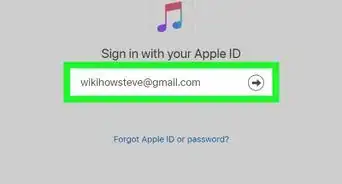
4Login to your Apple Music account. A login window will pop up so you can enter your Apple ID and password.
-
5Select the playlist you want to transfer. You can also choose to transfer individual songs or entire albums.
-
6Click Select Destination. After you've selected the playlist, you'll need to pick the destination for the transfer.
-
7Click to select Spotify. It's usually the first option in the display.
-
8Sign into your Spotify account. A window will pop-up so you can enter your Spotify username and password.
-
9Click Start Moving My Music. Only click this if the screen is displaying the correct information.
- You'll be redirected to a new page where you'll see the progress of the transfer.[1]
- A window will pop up when your playlist has finished transferring.
Advertisement








References
About This Article

1. Go to https://www.tunemymusic.com/.
2. Click Let's Start.
3. Click to select Apple Music.
4. Login to your Apple Music account.
5. Select the playlist you want to transfer.
6. Click Select Destination.
7. Click Spotify.
8. Sign into your Spotify account and click Start Moving My Music.