X
wikiHow is a “wiki,” similar to Wikipedia, which means that many of our articles are co-written by multiple authors. To create this article, 15 people, some anonymous, worked to edit and improve it over time.
This article has been viewed 32,127 times.
Learn more...
Lots of people like to play Minecraft, but you're not always at your computer. The option is Minecraft PE, but if you get a new iDevice, you lose all your worlds, and you have to rebuild everything. Actually, as long as both iDevices are jailbroken and have iFile, these steps will help you transfer your worlds.
Steps
-
1Make sure both devices are Jailbroken.
-
2Find the Minecraft Directory on the device with the world you want. Go to /var/mobile/Applications/Minecraft
- If you don't have that file create one.
-
3Find the saved game. Click documents, games, com, Mojang, Minecraft Worlds, and you're here.
-
4Prepare to transfer the file. Click edit in the top right, and click on the folder labeled the name of your world. Hit the 'create new zip file' button next to the plus at the bottom, and follow the onscreen instructions.Make sure that iFile is open on the other device, and make sure Bluetooth is enabled on both devices.
-
5Transfer the File. On the device with the world, making sure the new zip file is selected, click the Bluetooth icon on the bottom of the screen. When it finds the other device, click on it, and within a matter of moments, your other device will show it is receiving files.
-
6Add the world to your game. The new device should take you to your documents folder, and you should see the folder you just transferred. Click edit, select it, click on the clip board in the bottom right, and click Copy/Link. Go to the folder mentioned above, click the clipboard, and hit paste.
-
7Extract the zip. Tap on the zip folder, and open it with unarchiver. If it opens with zip view, just hit extract all in the bottom left(it looks like a box with an arrow coming out of it)
-
8Verify the transfer. Make sure the folder name is the same on the new device, and that the contents are four .dat files.
-
9Play on your world! Congratulations! Just go into Minecraft, and load your world!
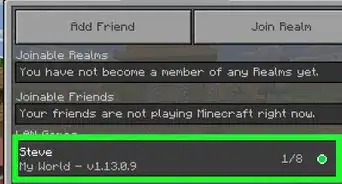
- If you have one of the older versions you can just get that world via a multiplayer game and clicking the option to download it.


Community Q&A
-
QuestionHow do I make my worlds in Minecraft into a file?
 Community AnswerFollow the instructions up to step 4. The newly-created ZIP file will contain your world.
Things You'll Need
- 2 jailbroken iDevices
- iFile
- Minecraft PE (NOT LITE)