This article was co-authored by Ryan Conway. Ryan Conway is a Marketing Expert and the Founder of Digital Tradesman, a digital marketing agency that helps builders, contractors, and tradesmen grow their business online. With over a decade of experience, he specializes in marketing, web design, and search engine optimization. Ryan holds a BS in Business Administration and Entrepreneurial Studies from Hartford University. He also studied Graphic and Web Design at the Boston University Center for Digital Imaging Arts. Ryan participated in Seth Godin’s altMBA in the winter of 2016.
This article has been viewed 15,087 times.
Tracking a website, from monitoring it's growth to simply getting updates when they put on new content, is getting easier and easier every month. There are many ways to keep up to date on a website, whether it is your site or someone else's and most of it is completely free.
Steps
Method 1
Method 1 of 2:Tracking Your Own Site
-
1Understand how Website growth and popularity is tracked. While some of the words used to describe web traffic may seem complex, they are actually simple to break down. Understanding how web traffic is tracked and computed will help you keep tabs on your site.
- Visits: Simply when someone comes to your site. Each page they go to will register as a visit.
- Unique Visitors: A unique IP address that visits the sites. For example, if you go to the same site 10 times in one day, you will get 10 visits but only 1 unique visit.
- Time on Site per Page: The amount of time visitors spend on a site or a particular page, regardless of whether or not they do anything. You want this to be high.
- Bounce Rate: The percentage of visitors who leave after only reading one page. The lower you can get this, the better.
- Exit Rate: The percentage of visits who leave when they are "done." This is only for sites that lead you through a bunch of pages on one theme, like a multiple page article. If they leave after the 3rd page of a 3 page article, they count in your exit rate.
-
2Check the website's stats on Alexa. This will tell you the Alexa traffic rank, traffic rank in the US, and the number of sites linking in. Write down all of these numbers and check back weekly to see how the numbers have changed. Press the "Get Details" button for more detailed information.
- Alexa helps you determine which parts of the site get the most views and figure out where your traffic is coming from.
- Similar to Alexa, there is a program called SearchStatus that can easily track a website's whereabouts. Just install the program and it should begin to process immediately. QuarkBase also works well, but Alexa is the industry standard.
-
3Install Google Analytics to get accurate information on your website. This will give you a very detailed dashboard of who is coming to your site, where they are coming from, how much time they are spending on the site, etc.[1]
-
4Install a hit counter. There are many available for free download if you search "website hit counter." This will show on your site how many time a particular page has been viewed. You may have to copy and paste the code into your site's HTML code, but this is usually given in step-by-step instructions.
- Many website design sites, like Weebly, SquareSpace, and WordPress have built in "apps" in the page customization screen that let you install hit counters.
-
5Use a tag manager to see what is most popular. Tag managers track which articles get the most traction, but only if you tag them. Most blogging and website design sites allow you to add tags, which are relevant words connected to your post. This article, for example, might have the tags, how-to, web traffic, analytics, wiki, etc. A tag manager lets you see what topics get the most traffic.
- You can download them for free online.
-
6Write down or save your numbers for constant comparison. These numbers mean nothing if you don't have any context for them. Record the numbers regularly and compare them every month to see how the site is growing, where you are most popular, and where you are losing viewers frequently.


Method 2
Method 2 of 2:Tracking A Website
-
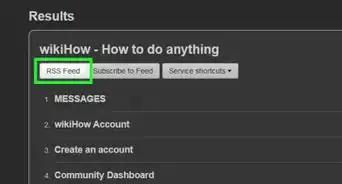
1Check if the page has an active RSS feed. Many websites post updates through an RSS (Rich Site Summery) feed, which you can subscribe to. RSS sends you an update whenever the website decides it has great new content to view. It attaches right to browser as an add-on (found on Firefox or Chrome with a simple internet search) and sends you updates without having to go to each site individually.[2]
-
2Follow your favorite sites on social media. Twitter, Facebook, Instagram, and Google + and more are great ways to get content delivered to you when and how you want it. Think of your social media accounts as a newspaper, but you get to chose which reporters, or websites, want to send you content.
-
3Know that you can track basic site analytics for any site. Sites like Alexa can give you basic information, like time on site or bounce rate, for any site in the world just by typing in the URL. Use these sites to get detailed information on sites you love or consider working with.
-
4Understand how search engine placement affects your site. Google, Yahoo, and other sites prioritize sights that have credible content and reliable viewers. So, to see how websites you like are doing, search for similar topics in search engines and see where the sites appear. Try to be specific -- instead of looking up "Film" to check on FilmSchoolRejects, try "Independent Film Reviews," or "Film and TV News and Reviews."
-
5Create bookmarks for sites you love. This makes a simple button on the top of your browser that allows you to click on the site without re-finding it every time. To create a bookmark, click the Star Icon on the top of your browser to save the page.
-
6Use an online tool called "WebLocate" to make a shortcut to your site and similar pages. This will create a shortcut on the desktop relevant either to many websites of the same genre or just one website that you are interested in. It is completely free, however a paid "Master Edition" does exist for for better formatting ,alerts and other software.


Community Q&A
-
QuestionWhat is the purpose of Google Analytics?
 Ryan ConwayRyan Conway is a Marketing Expert and the Founder of Digital Tradesman, a digital marketing agency that helps builders, contractors, and tradesmen grow their business online. With over a decade of experience, he specializes in marketing, web design, and search engine optimization. Ryan holds a BS in Business Administration and Entrepreneurial Studies from Hartford University. He also studied Graphic and Web Design at the Boston University Center for Digital Imaging Arts. Ryan participated in Seth Godin’s altMBA in the winter of 2016.
Marketing ExpertGoogle Analytics helps you see how people are using your website and where they're coming from. For instance, viewers might have found your website through LinkedIn or a random blog. -
QuestionWhat is Google Search console in SEO?Ryan ConwayRyan Conway is a Marketing Expert and the Founder of Digital Tradesman, a digital marketing agency that helps builders, contractors, and tradesmen grow their business online. With over a decade of experience, he specializes in marketing, web design, and search engine optimization. Ryan holds a BS in Business Administration and Entrepreneurial Studies from Hartford University. He also studied Graphic and Web Design at the Boston University Center for Digital Imaging Arts. Ryan participated in Seth Godin’s altMBA in the winter of 2016.
Marketing ExpertGoogle Search Console shows how Google and other search engines view your website from a technical standpoint. To use this tool, submit a copy of your sitemap to GSC so it can be analyzed.


References
- ↑ Ryan Conway. Marketing Expert. Expert Interview. 17 March 2021.
- ↑ http://www.whatisrss.com/
About This Article