X
wikiHow is a “wiki,” similar to Wikipedia, which means that many of our articles are co-written by multiple authors. To create this article, 21 people, some anonymous, worked to edit and improve it over time.
The wikiHow Tech Team also followed the article's instructions and verified that they work.
This article has been viewed 175,352 times.
Learn more...
Here's a quick JavaScript trick to control display settings. All we do is set the display of an element to none, and then use a JavaScript function to toggle the display when a user clicks something else.
Steps
-
1Wrap the content you want to toggle display with in a container.
<div id="content" style="display:block;">This is content.</div>
-
2Insert JavaScript code to change the display.
<script type="text/javascript">
function toggleContent() {
  // Get the DOM reference
  var contentId = document.getElementById("content");
  // Toggle
  contentId.style.display == "block" ? contentId.style.display = "none" :
contentId.style.display = "block";
}
</script>
-
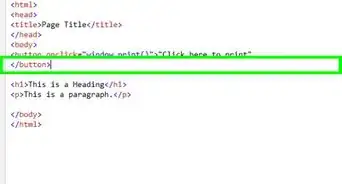
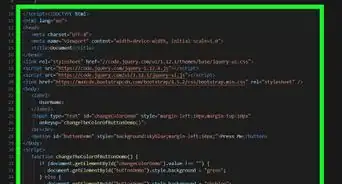
3Use an event handler to trigger the function.
<button onclick="toggleContent()">Toggle</button>


Community Q&A
-
QuestionHow do I create CSS animation in JavaScript?
 A_random_readerCommunity AnswerYou might want to use jQuery animations. More information and documentation is available at api.jquery.com.



-Step-3.webp)