This article was written by Travis Boylls. Travis Boylls is a Technology Writer and Editor for wikiHow. Travis has experience writing technology-related articles, providing software customer service, and in graphic design. He specializes in Windows, macOS, Android, iOS, and Linux platforms. He studied graphic design at Pikes Peak Community College.
The wikiHow Tech Team also followed the article's instructions and verified that they work.
This article has been viewed 1,822 times.
Is Siri mispronouncing your name? You can teach Siri the correct pronunciation. This wikiHow teaches you how to teach Siri to say your name right.
Steps
-
1Activate Siri. You can activate Siri by pressing and holding the Home button below your screen on your iPhone or iPad, or just say "Hey Siri" on some newer iPhones, iPads, and Homepod speakers.[1]
-
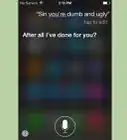
2Say "You're pronouncing my name wrong." Siri will ask how to pronounce your name.
- Alternatively, you can say, "You're pronouncing [someone's name] wrong."
- On some devices, you may need to hold down the Home button to talk to Siri.
-
3Say your first name. Siri will say "Let me hear how you say the name." The name Siri wants you to say will be spelled out in parenthesis at the top of the screen.
-
4
-
5Tap Select next to the correct pronunciation. This is the pronunciation Siri will use for your first name from now on.
- If none of the pronunciations are correct, you can tap Tell Siri again at the bottom of the pop-up and repeat the pronunciation.
-
6Say your middle name. Next Siri asks you how to pronounce your middle name. The name Siri wants you to pronounce is spelled out in parenthesis at the top.
-
7
-
8Tap Select next to the correct pronunciation. This is the pronunciation Siri will use for your first name from now on.
-
9Say your last name. Siri will say "Let me hear how you say the name." The name Siri wants you to say will be spelled out in parenthesis at the top of the screen.
-
10
-
11Tap Select next to the correct pronunciation. This is the pronunciation Siri will use for your first name from now on. Siri will say your full name back to you and use that pronunciation from now on.


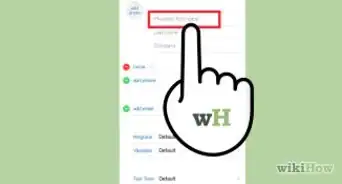






About This Article

1. Activate Siri.
2. Tell Siri "Your Pronouncing my name wrong."
3. Tell Siri your first name.
4. Play each pronunciation and tap Select next to the correct one.
5. Tell Siri your middle name.
6. Play each pronunciation and tap Select next to the correct one.
7 Tell Siri your last name.
8. Play each pronunciation and tap Select next to the correct one.