X
wikiHow is a “wiki,” similar to Wikipedia, which means that many of our articles are co-written by multiple authors. To create this article, volunteer authors worked to edit and improve it over time.
The wikiHow Tech Team also followed the article's instructions and verified that they work.
This article has been viewed 12,544 times.
Learn more...
Just starting out in linux and can't see your secret/configuration files in the file manager? Having the same problem while using the terminal emulator? Here's the answer.
Steps
Method 1
Method 1 of 2:Inside the File Manager
Method 1
-
1Open the File Manager.
- Depending on your desktop environment, the steps for doing this vary.
-
2Click the menu button related to View settings.
- In most File Managers, this is called View.
- In others, it might be a button with no name. In such a scenario, click to see all of the buttons available.
-
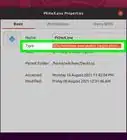
3Check the option which says Show Hidden Files from the drop down menu.


Method 2
Method 2 of 2:From the terminal emulator
Method 2


Warnings
- Editing configuration files may have undesirable consequences.Thanks!