This article was written by Katie Double. Katie Double is a Technology Writer and Editor for wikiHow. She has over five years of experience in technical support, IT process analysis, and quantitative research. Katie loves exploring the application of various technological tools, from data analysis and visualization to music production and performance. Though originally from Denver, Colorado, she currently resides in New Zealand. She has a BA in Psychology from the University of Colorado Boulder.
This article has been viewed 1,646 times.
This wikiHow teaches you how to share a video from Facebook with a Whatsapp chat.
Steps
Method 1
Method 1 of 2:Sharing a Video From the Facebook Mobile App
-
1Open the Facebook app on your mobile device. Look for a blue icon with a white "F", or search for "Facebook" in your app menu.
-
2
-
3Tap More Options…. Select WhatsApp.
- If you do not see WhatsApp listed, make sure it is installed on your device.
-
4Specify who to send the video to. Select a contact from your frequently or recently contacted list, or find a contact at the bottom. You can select multiple contacts. Tap the green arrow to send.


Method 2
Method 2 of 2:Sharing a Video From the Facebook Website on a Computer
-
1Open a browser on your computer. Navigate to https://www.facebook.com/.
-
2Find the video that you want to send. Right-click on the video and select Show video URL.
-
3Copy the URL that appears at the top of the video. Right-click and select Copy, or hold Ctrl + C (Command + C on a Mac) to copy the URL.
-
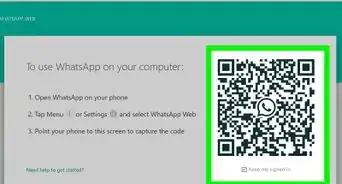
4Open Whatsapp Web by navigating to https://web.whatsapp.com/.
-
5
-
6Paste the video URL in the message box. Right-click and select Paste, or hold Ctrl + V (Command + V on a Mac) to paste the URL.
-
7










About This Article
1. Open the Facebook app on your device.
2. Find the video you want to share.
3. Tap Share at the bottom.
4. Tap More Options… and select WhatsApp.
5. Select a contact or existing chat.
6. Tap the green arrow to send the video.