X
wikiHow is a “wiki,” similar to Wikipedia, which means that many of our articles are co-written by multiple authors. To create this article, volunteer authors worked to edit and improve it over time.
This article has been viewed 4,684 times.
Learn more...
Do you want to share your current status on Google Hangouts? It's really easy to do that!
Steps
-
1Go to Google Hangouts. Open hangouts.google.com in your browser and sign in with your Google account.
-
2Open the menu bar. Just click on the ≡ icon at the top-left corner of the page. You can also click on the 3 dots symbol (...) to open the menu bar.Advertisement
-
3Open settings. Select Settings from the sidebar.
-
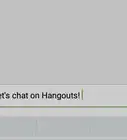
4Navigate to the "Share your status" box. Type your status like "in a meeting", "watching movie" or "on holiday".
-
5Hit the "Enter" button when you are done. Click on the X button to close the box. Finished!Advertisement


Warnings
- Your status will be visible to all Google Hangouts users.Thanks!
Advertisement
-on-Google+-Hangouts-Step-8.webp)

About This Article
Advertisement
-on-Google+-Hangouts-Step-8.webp)