This article was co-authored by wikiHow Staff. Our trained team of editors and researchers validate articles for accuracy and comprehensiveness. wikiHow's Content Management Team carefully monitors the work from our editorial staff to ensure that each article is backed by trusted research and meets our high quality standards.
This article has been viewed 107,649 times.
Learn more...
By setting your friend's PS4 as your primary console, and having your friend set your PS4 as their primary console, you'll be able to share the games that you each purchase from the PSN store. As long as one of you has a PS+ subscription, you'll both be able to play online. When the process is complete, you'll be able to play all of your own purchases as well as any purchases your friend has made.
Steps
Part 1
Part 1 of 3:Deactivating the PS4 Systems
-
1Open the Settings menu on your PS4. Press Up on PS4 main menu and then scroll to the right to find the Settings option.
- You'll be deactivating your own PS4 as your primary console and instead signing in on the second PS4. This will allow the second PS4 to access all of your purchases, and you'll still be able to access them on the primary PS4. When the owner of the second PS4 does the same on yours, you'll have access to all of their purchases as well.
-
2Select "PlayStation Network/Account Management." This will open your account settings.
-
3Select "Activate as Your Primary PS4." A new menu will appear.
-
4Select "Deactivate." This will make the PS4 console no longer your "home" console, which will allow you to make your friend's console your primary.
-
5Have your friend deactivate their PS4. Follow the steps above on the second PS4 to ensure that there is no active primary account. Only one primary account is allowed per system.[1]


Part 2
Part 2 of 3:Activating Your PS4s with Each Other's Accounts
-
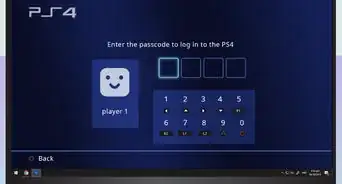
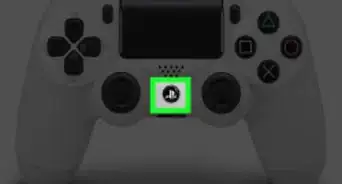
1Log out on the second PS4. Log out of the current account by holding the PS button on the controller and then selecting "Power Options" → "Log Out." Before you can make your account primary on your friend's PS4, you'll need to sign in with your own account.
-
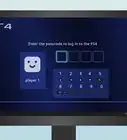
2Select "New User" on the login screen. This will let you create a new user on that system
-
3Select "Create a User." This will let you log in with your PSN account. You'll need to accept the terms first.
-
4Log in with your PSN account. You'll be logging on with your account on the second PS4.
-
5Open the Settings menu while logged in with your account. Once you're logged in, open the PS4's Settings menu.
-
6Select "PlayStation Network/Account Management." This menu will allow you to set this PS4 as your primary console, giving your friend access to your games.
-
7Select "Activate as Your Primary PS4" and then "Activate." This will make your account the primary account.
-
8Repeat the process with your friend's account on your PS4. This will make your PS4 their primary system, and their PS4 will be your primary system.


Part 3
Part 3 of 3:Accessing Games
-
1Sign into your own account on your own PS4. Even though it's not your primary console anymore, you can still sign in with your PSN account. This will give you access to all of your own games from the Library on your account.
-
2Make sure you have an internet connection. The one caveat to game sharing is that you'll need an active internet connection in order to play your own games. This is because your PS4 is no longer your primary PS4, so you need to connect to Sony to authorize your games.[2]
-
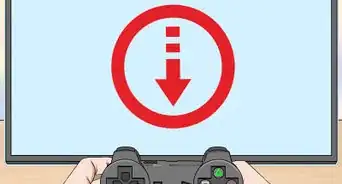
3Set your purchased games to download from the webstore. This will allow you to send games to each other's PS4s. When your friend purchases a digital game, they can set it to download from the PSN webstore. This will send it to your PS4, since your PS4 is set as their primary console. Once the game has downloaded, you'll be able to play it with your own account.
- This will work in the opposite direction as well. Games that you purchase and set to download from the webstore will download to your friend's PS4.
-
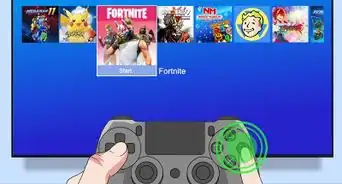
4Download your own purchases through the Library. Any purchases that you've made with your own account will be accessible in the Library. Select the game you want to play and click "Download" to begin downloading it to your own console.
-
5Share your PS+ membership. If you have PS+ subscription, your friend will be able to play online because their PS4 is set as your primary. You'll be able to play online as well when you're signed in on your own console. In fact, you can both be playing the same game together that only one of you bought with just one person's PS+ subscription.
- The other person will only get the online play benefits of your PS+ subscription. They will not be able to use cloud storage for their own saves unless they have their own PS+ account.


Community Q&A
-
QuestionCan I game share with one friend?
 Yu SongCommunity AnswerYep. Set your friend's account as "local user" on your PS4 and add to your account. Then you can play the games you and your friend have.
 -
QuestionHow do I buy a game for somebody else's account, as a present?
 Community AnswerYou can buy a PlayStation gift card for them.


References
About This Article