Explore this Article
parts
Other Sections
X
wikiHow is a “wiki,” similar to Wikipedia, which means that many of our articles are co-written by multiple authors. To create this article, 13 people, some anonymous, worked to edit and improve it over time.
This article has been viewed 60,093 times.
Learn more...
It's easy to create your own welcome message for remote users who log in to your Ubuntu Linux machine. We'll show you how to create your own custom banner in no time!
Steps
Part 1
Part 1 of 3:Adding a Welcome Message
Part 1
-
1Sudo to root. You will need to modify superuser file.
-
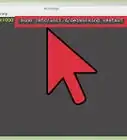
2Open the config file for the banner. Type vim /etc/issue.net
-
3Read the file. You will get a screen similar to the one shown.
-
4Add your message. Next just below the lines of Debian 6.0, type any custom message you feel.
-
5Check the look of the file. The issue.net file looks as shown
-
6Exit out of this file. Save the changes by typing EscKey + !wq


Part 2
Part 2 of 3:Configuring SSH Daemon
Part 2
-
1Close SSH if running. You need to make SSH understand that you need to enable the Banner Message.
-
2Open the configuration file. Issue the command, vim /etc/ssh/sshd_config
-
3Modify the file. Now in the sshd_config file, you need to uncomment the Banner portion as shown
-
4Start SSH. Issue the command --> /etc/init.d/ssh restart
-
5Wait until restarted. The OpenSSH Server Daemon process will restart.


Part 3
Part 3 of 3:Testing the Message
Part 3


You Might Also Like
How to
Install Google Chrome Using Terminal on Linux
How to
Add or Change the Default Gateway in Linux
How to
Become Root in Linux
 Can Linux Run .exe Files? How to Use Wine and Run Windows Software on Linux
How to
Ping in Linux
How to
Create and Edit Text File in Linux by Using Terminal
How to
Execute INSTALL.sh Files in Linux Using Terminal
How to
Install Linux
How to
Take a Screenshot in Linux
How to
Open Ports in Linux Server Firewall
How to
Restart Services in Linux
How to
Use Wine on Linux
How to
Change the Timezone in Linux
How to
Install Steam on Linux
About This Article
wikiHow is a “wiki,” similar to Wikipedia, which means that many of our articles are co-written by multiple authors. To create this article, 13 people, some anonymous, worked to edit and improve it over time. This article has been viewed 60,093 times.
How helpful is this?
Co-authors: 13
Updated: October 6, 2021
Views: 60,093
Categories: Linux