X
wikiHow is a “wiki,” similar to Wikipedia, which means that many of our articles are co-written by multiple authors. To create this article, volunteer authors worked to edit and improve it over time.
This article has been viewed 5,085 times.
Learn more...
AT&T Call Protect is an app for iOS and Android available to AT&T customers. It automatically blocks unwanted and illegal calls and also gives potential spam warnings to incoming calls on both iOS and Android. Here is how to set up and use AT&T Call Protect.[1]
Steps
Method 1
Method 1 of 3:Setting Up
Method 1
-
1
-
2Download the app from the Play Store or App Store (iOS direct link or Android direct link).
-
3Launch the app. You will be prompted to enter your phone number.
-
4Enter your phone number. Your AT&T plan must include unlimited call blocking in order for you to use this app. Select Continue.
-
5Enter your code into the app. Check your messages for an alphanumeric code then enter it into the app.
-
6Agree to the terms and conditions.
-
7Wait to receive a message from AT&T that Call Protect has been enabled.


Method 2
Method 2 of 3:Reporting, Blocking, and Unblocking Calls
Method 2
-
1Understand that most spam calls are automatically blocked. Enough reports to AT&T will automatically block the caller. If there are not enough reports, but there are still reports, you will get a spam caller warning. If the call you received is spam, proceed below to report it.
-
2Choose the caller in the call history of the Call Protect app. This is not to be confused with the call history in the "Phone" app.
-
3Choose Report.
-
4Choose a reason to report, add additional details, and click Submit.
-
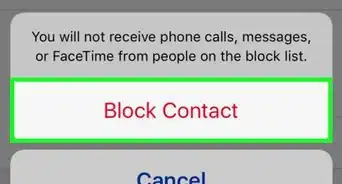
5Choose Block to proceed to block the caller. This is different from the block list on your mobile phone; blocking a caller from the "Phone" or "Contacts" app will prevent them from sending calls to this phone only, this will block the caller even if you move to a new mobile phone.
-
6Choose Unblock to unblock the caller if the caller is not spam.


Method 3
Method 3 of 3:Deactivating Call Protect
Method 3


Community Q&A
-
QuestionHow do I incorporate a contact list? Mine is blocking everyone!
 Zhongli, Archon of Liyue (Aasim)Community AnswerMake sure that the app is able to view your contacts. If so, then you can manually unblock users. You can also turn off automatic call blocking.