This article was written by Jack Lloyd. Jack Lloyd is a Technology Writer and Editor for wikiHow. He has over two years of experience writing and editing technology-related articles. He is technology enthusiast and an English teacher.
The wikiHow Tech Team also followed the article's instructions and verified that they work.
This article has been viewed 1,485,182 times.
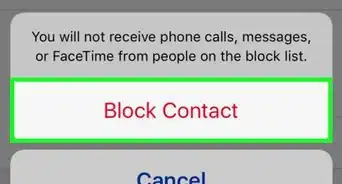
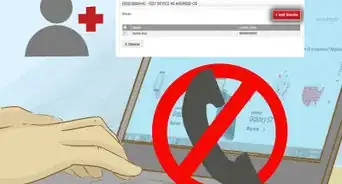
This wikiHow teaches you how to block calls from anonymous numbers on your iPhone or Android. You can do this by using Do Not Disturb on your iPhone, or by changing call settings on your Android if you have a Samsung phone. If you don't have a Samsung phone, you can download an app called "Should I Answer?" to block incoming unknown calls on Android. Unfortunately, there isn't an app or a setting available on iPhone that will only block incoming private, unknown, or restricted calls.
Steps
Method 1
Method 1 of 3:On iPhone
-
1
-
2Advertisement
-
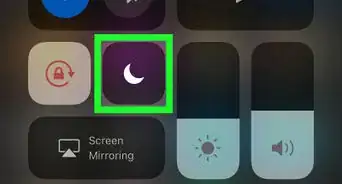
3
-
4Tap Allow Calls From. This option is near the bottom of the screen.
-
5Tap All Contacts. Doing so will select your entire contacts list as the exception to Do Not Disturb. You will no longer receive calls from people who aren't saved in your Contacts app.
- This method blocks calls from any numbers that aren't saved in your Contacts app, meaning that you might miss out on a work- or appointment-based call.
- Do Not Disturb also prevents other app notifications (e.g., text messages, email, social media) from showing up as alerts.
Advertisement


Method 2
Method 2 of 3:On Samsung Galaxy
-
1Make sure that you have a Samsung phone. Samsung phones are the only Androids that have an anonymous caller rejection setting.[1]
- If you're using a non-Samsung Android phone, skip ahead to the Should I Answer app method instead.
-
2Open the Phone app. Tap the phone-shaped app on your Android's main screen.
-
3Tap ⋮. It's in the top-right corner of the screen. A drop-down menu will appear.
-
4Tap Settings. You'll find this near the bottom of the drop-down menu.
-
5Tap Block numbers. It's in the middle of the menu. This will open the call-blocking settings.
-
6Tap the grey "Block anonymous calls" switch . It will turn blue . Your Samsung will now block any calls from unknown numbers.Advertisement


Method 3
Method 3 of 3:Using Should I Answer on Android
-
1
-
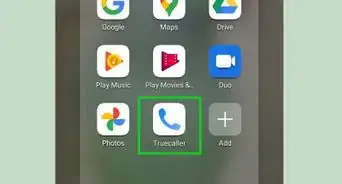
2Open Should I Answer. Tap OPEN on the right side of the Google Play Store page, or tap the Should I Answer app icon in your Android's App Drawer.
-
3Tap CONTINUE twice. Both CONTINUE options are at the bottom of the screen. Doing so will take you to the main page.
-
4Tap the SETTINGS tab. It's at the top of the main Should I Answer page.
-
5Scroll down to the "Block INCOMING calls from" section. This area is near the bottom of the page.
-
6Tap the grey "hidden numbers" switch . It will change color which means that Should I Answer will block incoming calls from restricted or anonymous numbers.
- You can close Should I Answer after this point—your settings will be saved and Should I Answer will remain on in the background.
Advertisement


Community Q&A
-
QuestionWe are trying to trace an ex who uses restricted number calling to obtain proof to get an injunction. Will this TrapCall app work to reveal their cell phone number?
 Community AnswerYes, TrapCall reveals blocked numbers.
 -
QuestionHow can I stop getting blocked calls on my landline phone?Community AnswerYou can use PhoneTray software (installed on your PC) to prevent blocked calls from getting through on a landline. It costs around $30.
-
QuestionHow do I get rid of an unknown number on Whatsapp?
 Community AnswerGo onto recent calls and select, Clear Recent. The number should now be gone.
 -
QuestionHow can I block series of numbers calling me as blank calls?
 Community AnswerGo to your recent call log and manually go through each one, blocking all of them. It may be time-consuming, but it saves you from getting strange blank calls.
 -
QuestionWhat are hidden numbers?
 Community AnswerHidden numbers are callers who don’t display their number, much like an unknown caller.
 -
QuestionHow do I block someone with no caller ID?Community AnswerGet the app, TruCaller, and it has an option to set spam numbers. It'll also automatically block all telemarketers and stuff automatically (if the community reported them as a telemarketer trough the app).
-
QuestionHow do I unblock unknown callers?Community AnswerGo to the “Contacts” tab. Choose the person you would like to block or unblock, and tap “Unblock This Caller.”
-
QuestionHow do I unblock callers on my iPhone?Community AnswerGo to the “Contacts” tab. Choose the person you would like to block or unblock, and tap “Unblock This Caller.”


References
About This Article
1. Open Settings.
2. Tap Do Not Disturb.
3. Toggle on "Do Not Disturb" mode.
4. Tap Allow Calls From.
5. Tap All Contacts.
Android:
1. Open Phone.
2. Tap the three-dot menu.
3. Tap Settings.
4. Tap Block numbers.
5. Toggle on "Block anonymous calls."