X
This article was written by Jack Lloyd. Jack Lloyd is a Technology Writer and Editor for wikiHow. He has over two years of experience writing and editing technology-related articles. He is technology enthusiast and an English teacher.
The wikiHow Tech Team also followed the article's instructions and verified that they work.
This article has been viewed 29,923 times.
This wikiHow teaches you how to send a video to chat conversation in WeChat on your iPhone, iPad, or iPod.
Steps
Method 1
Method 1 of 3:Sending an Existing Video
Method 1
-
1Open WeChat. It's a green app with two white speech bubbles. If you're already logged into WeChat, doing so will take you to the last tab you had open.
- If you aren't already logged in: tap Log In, enter your phone number and password, and tap Log In.
-
2Tap Chats. This is a speech bubble icon in the bottom-left corner of the screen.Advertisement
-
3Tap an existing chat. Doing so will open the conversation.
-
4Tap +. It's in the bottom-right corner of the screen.
-
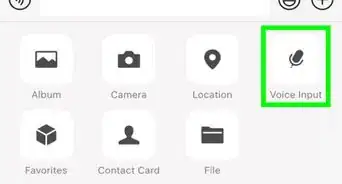
5Tap Album. This is in the top row of options near the bottom of the screen.
- If you see a window instructing you to allow WeChat access to Photos, do so before continuing.
-
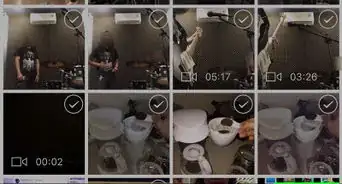
6Tap Videos. This folder is where all of your iOS device's videos are stored.
-
7Tap a video. Doing so will bring it up to full-screen view, allowing you to play it and review the content before sending.
- If your iOS device has a lot of videos, you may have to scroll up to find the video you wish to send.
-
8Tap Send. It's in the bottom-right corner of the screen. This will send your video to the selected chat.Advertisement


Method 2
Method 2 of 3:Recording a Video with WeChat
Method 2
-
1Open WeChat. It's a green app with two white speech bubbles. If you're already logged into WeChat, doing so will take you to the last tab you had open.
- If you aren't already logged in: tap Log In, enter your phone number and password, and tap Log In.
-
2Tap Chats. This is a speech bubble icon in the bottom-left corner of the screen.
-
3Tap an existing chat. Doing so will open the conversation.
-
4Tap +. It's in the bottom-right corner of the screen.
-
5Tap Camera. It's the camera-shaped icon in the top row of options near the bottom of the screen.
- If you see a window instructing you to allow WeChat access to Photos, do so before continuing.
-
6Tap and hold the white button at the bottom of the screen. This will begin recording whatever your device's camera is facing.
- You can flip the camera to face toward you (or away from you if it's already facing you) by tapping the camera icon in the top-right corner of the screen.
-
7Tap the checkmark to send the video. It's in the bottom-right corner of the screen. Your video will be sent to your selected chat conversation.
- You can also tap the "Back" arrow in the bottom-left corner of the screen to delete the video and re-record.
Advertisement


Method 3
Method 3 of 3:Allowing WeChat Access to Photos and Camera
Method 3
-
1Open your iOS device's Settings. It's a grey app with gears that you'll likely find on the Home Screen.
-
2Scroll down and tap WeChat. Since the apps at the bottom of the Settings page are alphabetically organized, you'll likely find WeChat near the bottom of the page.
-
3Slide Photos right to the "On" position. It will turn green, signifying that you can now upload existing photos and videos to WeChat.
- If the switch next to Photos is already green, you should be able to upload photos and videos to WeChat. Try restarting WeChat if you're having any trouble.
-
4Slide Camera right to the "On" position. The switch will turn green, which means WeChat now has access to your iOS device's camera.
-
5Slide Microphone right to the "On" position. It will turn green. You should now be able to send videos recorded within WeChat.Advertisement


Community Q&A
-
QuestionWhat is the maximum video length that can be sent over WeChat?
 Community AnswerThe maximum length depends on the video's quality. WeChat can send videos up to 25 megabytes in size.




About This Article
Advertisement