X
This article was co-authored by wikiHow Staff. Our trained team of editors and researchers validate articles for accuracy and comprehensiveness. wikiHow's Content Management Team carefully monitors the work from our editorial staff to ensure that each article is backed by trusted research and meets our high quality standards.
This article has been viewed 8,519 times.
Learn more...
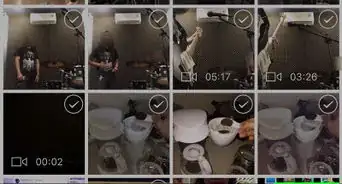
This wikiHow will teach you how to download videos from chat sessions in the WeChat app for iOS devices. This will enable you to save videos onto your iPhone or iPad for viewing offline at a later date.
Steps
-
1Open WeChat. It’s the green icon with two white speech bubbles overlapping in the center.
- If you haven’t installed WeChat on your iPhone or iPad, you’ll need to do this before you can download videos.
- You’ll need to sign in using a phone number or existing WeChat account.
- You won’t be able to create a new account on your iPad, so you’ll have to make an account on your phone first and tie it to your iPad afterward.
-
2Tap on Chats. This is found at the bottom left-hand corner of the screen.
-
3Tap the conversation that contains the video you want to download.
- If you have several different chats in your account’s history, you may need to scroll down to find the person you were chatting with that sent you the video you want to download.
-
4Tap and hold the video. This will bring up a list of options.
-
5Tap More…. This will give you additional option icons at the bottom of the screen.
- You may have to tap ▶ first to see this option.
-
6Tap ⋯. This will bring up further additional options.
-
7Tap Save to Album.









About This Article

wikiHow Staff
wikiHow Staff Writer
This article was co-authored by wikiHow Staff. Our trained team of editors and researchers validate articles for accuracy and comprehensiveness. wikiHow's Content Management Team carefully monitors the work from our editorial staff to ensure that each article is backed by trusted research and meets our high quality standards. This article has been viewed 8,519 times.
How helpful is this?
Co-authors: 4
Updated: May 15, 2018
Views: 8,519
Categories: WeChat
Article SummaryX
1. Open WeChat.
2. Tap Chats.
3. Tap the conversation.
4. Tap and hold on the video.
5. Tap More….
6. Tap ⋯
7. Tap Save to Album.
Did this summary help you?