This article was written by Nicole Levine, MFA. Nicole Levine is a Technology Writer and Editor for wikiHow. She has more than 20 years of experience creating technical documentation and leading support teams at major web hosting and software companies. Nicole also holds an MFA in Creative Writing from Portland State University and teaches composition, fiction-writing, and zine-making at various institutions.
The wikiHow Tech Team also followed the article's instructions and verified that they work.
This article has been viewed 29,110 times.
This wikiHow teaches you how to send yourself a message on WhatsApp by removing all contacts from a group chat.
Steps
-
1Open WhatsApp. It’s a green icon with a white phone receiver inside a chat bubble. You’ll typically find it on the home screen.
-
2Tap New Group. It’s near the top-right corner of the screen. You’ll need to create a group chat and then remove the other contacts to send yourself messages.Advertisement
-
3Select any contact and tap Next.
-
4Type a name for the group. It should go into the blank box near the top of the screen.
- Since you’ll be using this chat to message yourself, you may want to call it something like “Me” or “Self.”
-
5Tap Create. It’s at the top-right corner of the screen. Now you’ll see your new group chat, which currently has 2 members.
-
6Tap the group's name. It’s at the top of the screen. This opens the “Group Info” screen.
-
7Select the other person in the group and tap Remove. Now you’re alone in the chat.
-
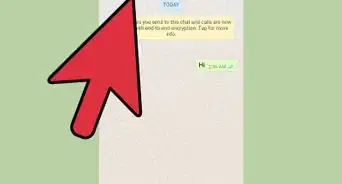
8Send a message to yourself. Simply enter your message into the chat box at the bottom of the screen, just as you would if typing a message to someone else.Advertisement


About This Article

1. Open WhatsApp.
2. Tap New Group.
3. Select a contact and tap Next.
4. Name the group.
5. Tap Create.
6. Tap the group's name.
7. Select a contact and tap Remove.
8. Send your message.