This article was co-authored by wikiHow Staff. Our trained team of editors and researchers validate articles for accuracy and comprehensiveness. wikiHow's Content Management Team carefully monitors the work from our editorial staff to ensure that each article is backed by trusted research and meets our high quality standards.
The wikiHow Tech Team also followed the article's instructions and verified that they work.
This article has been viewed 38,630 times.
Learn more...
With the iOS 10 update, Apple's Messages app now natively supports a library of GIFs that you can send in your chats. This can be accessed from the “#images” app included with the update. Unfortunately, Messages for macOS does not have app support, so you must be use a third party app, like GIF Keyboard to send GIFs with Messages there.[1]
Steps
Method 1
Method 1 of 2:iOS
-
1Open Messages.
-
2Tap a chat.
-
3Tap the > button. This is to the left of the message text field.
-
4Tap the Apps.
-
5Tap the App Menu button. This looks like a grid of four circles and is in the lower left corner of the app window.
- You can also swipe left or right to switch between installed apps.
-
6Tap #images.
- You can swipe up or down to scroll through your options.
-
7Tap a GIF. It will be added to your message field.
- You can remove the GIF by tapping the x in the upper right corner of the preview or replace it by tapping another GIF.
- You can only send GIFs one at a time.
-
8Tap the text field below the GIF. You can use this to enter a caption for the GIF or add a supplementary message.
-
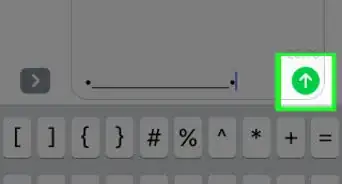
9Tap Send. This is the up arrow on the right side of the text field.


Method 2
Method 2 of 2:Mac
-
1Download the GIF Keyboard app.
-
2Open Messages.
-
3Click a chat.
-
4Click the GiF menu. This will appear in the upper right of your computer's menu bar.
-
5Enter a search into the search bar. The results will appear in the menu.
-
6Drag and drop a GIF from the menu into your Messages chat.
-
7Hit ↵ Enter to send.








About This Article