X
This article was co-authored by wikiHow Staff. Our trained team of editors and researchers validate articles for accuracy and comprehensiveness. wikiHow's Content Management Team carefully monitors the work from our editorial staff to ensure that each article is backed by trusted research and meets our high quality standards.
The wikiHow Tech Team also followed the article's instructions and verified that they work.
This article has been viewed 107,167 times.
Learn more...
To find out if a message was delivered on Apple Messages, open Messages → Select a conversation → Check that "Delivered" appears under your last message.
Steps
Method 1
Method 1 of 2:iOS
Method 1
-
1Tap on the Messages app.
-
2Tap a conversation.
-
3Tap on the text field. It's located right above your keyboard.
-
4Type in a message.
-
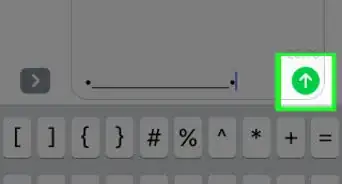
5Tap the blue arrow button. Doing so will send your message.
-
6Look for “Delivered” under your last message. It will appear just below the message bubble.
- If your message does not say “Delivered”, check the top of your screen to see if it says “Sending…” or “Sending 1 of X”.
- If you see nothing listed under your last message, your message has not yet been delivered.
- If "Send Read Receipts" is enabled by the recipient, then it will change to "Read" once the message has actually been seen.
- If you see "Sent as a Text Message," that means your message was sent using your carrier's SMS service rather than Apple's iMessage servers.


Method 2
Method 2 of 2:Mac
Method 2
-
1Open the Messages app.
-
2Click on a conversation.
-
3Type in a message.
-
4Press ↵ Enter.
-
5Look for “Delivered” under your last message. It will appear just below the message bubble.
- If "Send Read Receipts" is enabled by the recipient, then it will change to "Read" once the message has actually been seen.
- If you see "Sent as a Text Message," that means your message was sent using your carrier's SMS service rather than Apple's iMessage servers.
- If you see nothing listed under your last message, your message has not yet been delivered.


Community Q&A
-
QuestionMy message does not say delivered and has a green background. What does this mean?
 Community AnswerThis is because the receiver is using an Android device.
 -
QuestionIf your text does not say delivered does that mean it did not go?
 Hayden FouldsCommunity AnswerNo. If “Delivered” does not show below your message, it means that the person you are contacting has not seen it yet. Another solution that should be helpful is to check the top of the screen for either “Sending” or “Sending 1 of ...”.
 -
QuestionWhere do I find “select a conversation “?
 FancyghostCommunity AnswerYou simply choose a conversation from the list of people you've talked to.
 -
QuestionIf it "says sent as a text message" does that mean they blocked you?FancyghostCommunity AnswerNo, that means they're on an Android phone most likely. It's also possible that they have iMessage's data disabled, so they receive SMS messages instead of iMessages.
-
QuestionI texted another iPhone user and it normally says delivered and is a blue message. Today it is green and says sent as a text message. Did the other person get my text?FancyghostCommunity AnswerYes, they got your text. It was just delivered in a slightly different method, due to circumstances outside either of your control.
References
About This Article

wikiHow Staff
wikiHow Staff Writer
This article was co-authored by wikiHow Staff. Our trained team of editors and researchers validate articles for accuracy and comprehensiveness. wikiHow's Content Management Team carefully monitors the work from our editorial staff to ensure that each article is backed by trusted research and meets our high quality standards. This article has been viewed 107,167 times.
How helpful is this?
Co-authors: 6
Updated: March 29, 2019
Views: 107,167
Categories: Apple Messages