X
wikiHow is a “wiki,” similar to Wikipedia, which means that many of our articles are co-written by multiple authors. To create this article, volunteer authors worked to edit and improve it over time.
This article has been viewed 19,881 times.
Learn more...
A PowerPoint presentation is an excellent way of presenting information or ideas to an audience. The software is easy to use and offers a lot of cool effects for your slideshows, too. But, what's all the use of this if you don't even know how to save your finished PowerPoint? This wikiHow will teach you how to save your file.
Steps
-
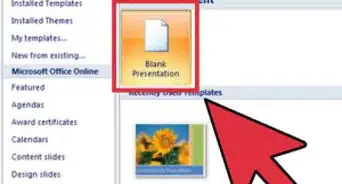
1Create and edit your PowerPoint presentation. The template you choose and additions you make do not affect the saving process in any way.
- You don't have to wait until you're totally finished to save your work. It can help to save along the way, too, to ensure you don't lose any progress.
-
2Click the File tab. It will be in the top left-hand corner of your screen.Advertisement
-
3Click Save or Save as. Either one works for saving a new presentation; if you want to save a copy of an existing presentation, under a new name, use "Save as."
-
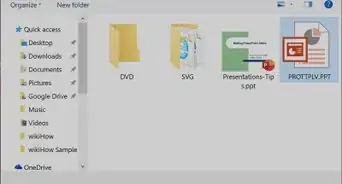
4Choose the location where you'd like to save your PowerPoint. To do this, click Browse and choose a file location on your computer or an external drive.
-
5Name your presentation. You can name it whatever you want, as long as you don't already have a file saved under that exact name. To do this, go to the bar at the bottom of the window and type in what you want to call it.
-
6Click Save.Advertisement













About This Article
Advertisement