X
This article was co-authored by wikiHow Staff. Our trained team of editors and researchers validate articles for accuracy and comprehensiveness. wikiHow's Content Management Team carefully monitors the work from our editorial staff to ensure that each article is backed by trusted research and meets our high quality standards.
This article has been viewed 100,206 times.
Learn more...
This wikiHow teaches you how to delete a slide from a PowerPoint presentation on a PC or Mac.
Steps
-
1Open your presentation in Microsoft PowerPoint. You can usually do this by double-clicking the file on your computer.
- If you don’t have PowerPoint on your computer, you can sign in to PowerPoint Online, click Upload a Presentation at the top-right corner, and then double-click your presentation.
-
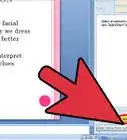
2Switch to Normal/Editing View. If you're in the correct view, thumbnails for each slide in the presentation will appear along the left side of the screen.
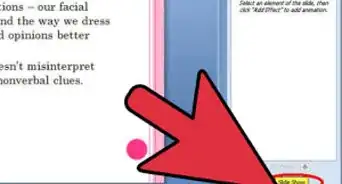
- If you don’t see the list of slides, click the icon of a square divided into 3 sections at the bottom of the screen.[1] When you hover the mouse cursor over the correct icon, you will see “Editing View” or “Normal View.”
Advertisement -
3Right-click the slide you want to remove. You'll find it in the left column. A menu will appear.
-
4Click Delete Slide. This removes the slide from the presentation. You can also click the "delete" key on your keyboard.[2]
- If you don’t want to delete the slide but don’t want it to appear in you presentation, select Hide Slide instead.
- If you decide you want the slide back, press ⌘ Command+Z (macOS) or Ctrl+Z (Windows) to undo the delete.
Advertisement


Community Q&A
-
QuestionHow do I rearrange slides in PowerPoint 2007?
 JadexheCommunity AnswerDrag and drop the slides wherever you want them to go.
 -
QuestionWhen I want to delete the first slide, the last one deletes, what should I do?
 Community AnswerMake sure that you select the slide that you want to delete from the side menu. There will be an option to delete that slide. If not, it could be a glitch, try restarting your computer.
wikiHow Video: How to Delete a Slide in PowerPoint






References
About This Article

wikiHow Staff
wikiHow Staff Writer
This article was co-authored by wikiHow Staff. Our trained team of editors and researchers validate articles for accuracy and comprehensiveness. wikiHow's Content Management Team carefully monitors the work from our editorial staff to ensure that each article is backed by trusted research and meets our high quality standards. This article has been viewed 100,206 times.
How helpful is this?
Co-authors: 5
Updated: May 5, 2021
Views: 100,206
Categories: PowerPoint Presentations
Article SummaryX
1. Open the presentation in PowerPoint.
2. Right-click the slide in the left column.
3. Click Delete Slide.
Did this summary help you?
Advertisement