X
This article was written by Darlene Antonelli, MA. Darlene Antonelli is a Technology Writer and Editor for wikiHow. Darlene has experience teaching college courses, writing technology-related articles, and working hands-on in the technology field. She earned an MA in Writing from Rowan University in 2012 and wrote her thesis on online communities and the personalities curated in such communities.
This article has been viewed 1,342 times.
Sublime is a sophisticated text editor for code, markup, and prose that's available for Mac and Windows. This wikiHow will teach you how to download Sublime.
Steps
-
1Go to https://www.sublimetext.com/3. You can use any web browser on Mac or Windows to download Sublime.
-
2Click the appropriate link. If you're using a Windows computer, click the Windows download link (the file downloads as an .exe, but the "portable version" is a .zip); if you're using a Mac, click the OS X download link.
-
3Open the downloaded file. Windows users will follow the on-screen instructions for the installation wizard and Mac users will drag and drop the Sublime application icon to the Application folder in Finder.
- After these processes are done, you'll find Sublime in your Applications folder or in your Start menu.
-
4Click Sublime. The software will run and you can use it to write code.
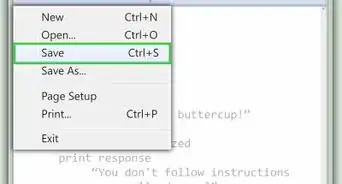
- To write in a specific code, create the new project with that file extension. For example, if you want to run Python code, save your file with the .py file extension.







About This Article

Darlene Antonelli, MA
Tech Specialist
This article was written by Darlene Antonelli, MA. Darlene Antonelli is a Technology Writer and Editor for wikiHow. Darlene has experience teaching college courses, writing technology-related articles, and working hands-on in the technology field. She earned an MA in Writing from Rowan University in 2012 and wrote her thesis on online communities and the personalities curated in such communities. This article has been viewed 1,342 times.
How helpful is this?
Co-authors: 3
Updated: December 28, 2020
Views: 1,342
Categories: Programming
Article SummaryX
1. Go to https://www.sublimetext.com/3.
2. Click the appropriate link.
3. Open the downloaded file.
4. Click Sublime.
Did this summary help you?