X
wikiHow is a “wiki,” similar to Wikipedia, which means that many of our articles are co-written by multiple authors. To create this article, 16 people, some anonymous, worked to edit and improve it over time.
This article has been viewed 563,394 times.
Learn more...
Rooting is kind of like the Android version of jailbreaking your mobile device. This article will teach you to root your Samsung Galaxy S2 running Jelly Bean (4.1.1 and 4.1.2). Be extra careful when downloading ROMs—be sure they are specifically for your version of Galaxy S2, or you risk bricking your phone.
Steps
-
1Make sure you have CWM Recovery installed.
-
2Turn off your phone. Then, hold down Volume Down, Center Home, and Power. Continue holding until you see a warning screen (about 3 seconds).Advertisement
-
3Hit Volume Up. Then, connect your Galaxy S2 to your computer.
-
4Download the Jeboo Kernel and ODIN package. Unzip the ODIN files, but leave the kernel file as a .tar.
-
5Double click ODIN3v1.85.exe. This will run the program. You should then see a yellow highlighted box with COM and a number in it.
-
6Hit the "PDA" button. This should be in the checklist below the start button.
-
7Choose the Jeboo Kernel.tar file you just downloaded.
-
8Hit "Start." The kernel should start flashing. Wait until you see the word "PASS!", then let your Galaxy S2 restart.
-
9Download Superuser Zip file. If you can, download it straight to your phone. Otherwise, you can copy it over from your computer.
-
10Turn off your phone. Hold Volume Up, Center Home, and Power until your phone goes into CWM Recovery (about 20 seconds).
-
11Choose "Install Zip." It should be the second option on the list.
-
12Click "Choose zip from Internal sdcard." If you're transferring the zip over from your computer, choose "Choose zip from sdcard."
-
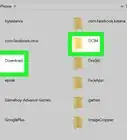
13Find the Superuser file. You'll most likely find it in your downloads folder.
-
14Choose "CWM-SuperSU-v0.00.zip". This will install su binary and Superuser to your galaxy S2.
-
15Confirm by clicking "Yes" when prompted.
-
16Reboot. You'll find an app called SuperSU. The first time you use it, you'll have to grant permission via a popup window. Then, you'll be good to go. Enjoy your newly rooted phone!Advertisement


Community Q&A
-
QuestionWhat can I do if I am still having problems?
 Community AnswerMaybe try emailing the company or making a formal complaint.
 -
QuestionWill rooting erase all apps and data on the device?
 RichCommunity AnswerMost likely no, but it is possible.
 -
QuestionWill this remove all of the original Bell apps?
 Community AnswerThere is always a slight possibility with things that void your warranty, but SuperSU should not delete apps, factory or not (though the kernel might).
Warnings
- You will lose your warranty.Thanks!
- This is illegal in Vietnam, Malaysia, and Singapore.Thanks!
Advertisement

References
About This Article
Advertisement